
Reputation Management
How to Clean Up Your Google Business Profile When Bad Reviews Strike

Nov
How to Remove a Google Review From Your Business
To remove a Google review from your business, open your Google Business Profile, select Read reviews, and report the review that breaks Google’s content rules. Choose the most accurate reason, then check its status in the Reviews Management Tool. If Google leaves it up, you can submit a one-time appeal. You cannot delete a review just because it is negative, so save a copy and prepare a calm public reply if it stays.
I’m John DeMarchi, founder of Social Czars. Since 2014, I’ve helped executives manage harmful search content and protect their online reputations, including when they ask, “how to remove google review from my business.”
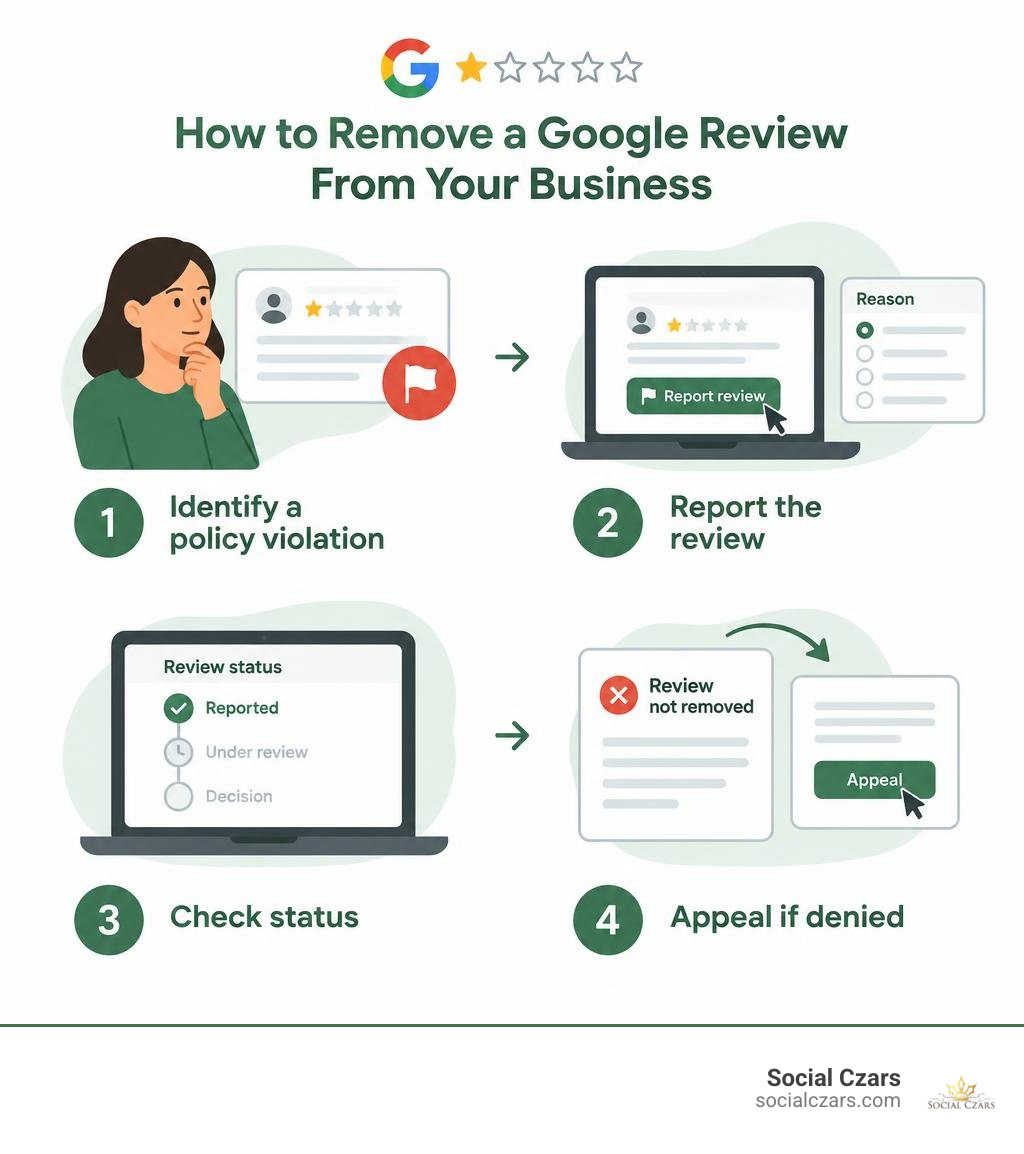
How to remove google review from my business terms you need:
Can You Delete or Turn Off Google Reviews for Your Business?
When a blistering one-star rating lands on your dashboard, the instinctive reaction is to look for a trash icon or an off switch. Many business leaders ask us if they can simply disable public ratings altogether. Learning how to manage or delete bad Google reviews starts with understanding the boundaries of local search.
Google prioritizes platform transparency for local consumers. Because about 75.5% of consumers trust online reviews when making purchasing decisions, Google treats customer feedback as a public utility rather than private property managed by the business owner. You cannot simply hit a toggle to turn off reviews, hide your star rating, or make your profile private.
The Reality of Public Business Profiles on Google Search and Maps
Google Business Profiles exist across Google Search and Google Maps as open community directories. Even if you never formally claimed your listing, an entry can be generated automatically through public records, user suggestions, and location data.
Because listings belong to the Google ecosystem, public feedback is tied to the physical establishment. Under the official Google Maps review policy guidelines, customers retain the right to voice their genuine experiences. This public-first architecture means that unless content explicitly breaches specific community standards, it remains visible to anyone searching for your brand.
Why You Cannot Block Specific Users or Disable Review Features
Business owners frequently ask whether they can block serial trolls, ex-employees, or disgruntled competitors from leaving comments. Unfortunately, Google does not offer a user-blocking tool for merchant accounts.
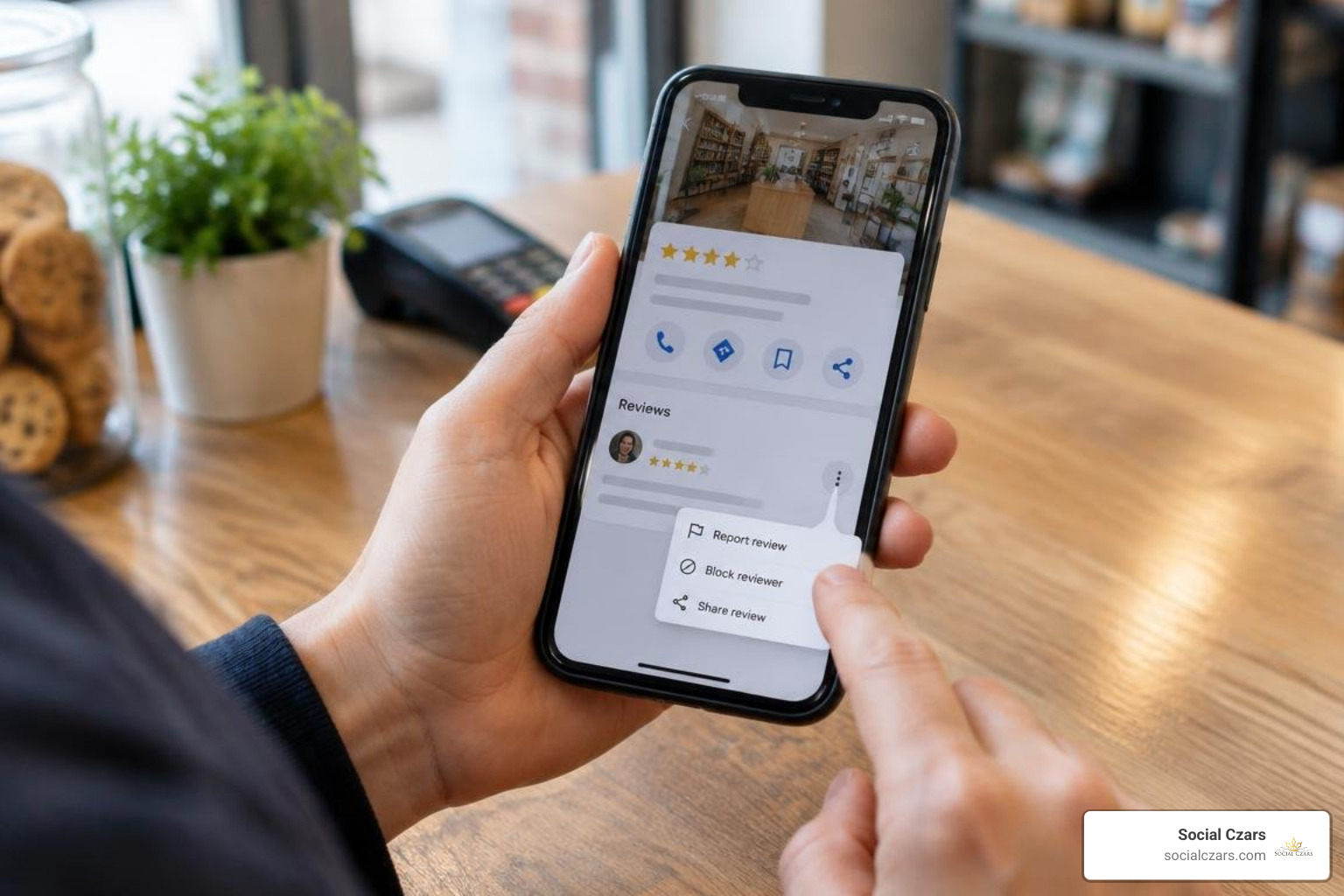
Google operates under open-contribution governance. While you cannot prevent an individual Google account from submitting feedback, you can hold them accountable to platform guidelines. If a single user creates multiple accounts to attack your listing, or if their posts cross into harassment, you must report the specific content rather than trying to restrict the profile in advance.
How to Remove Google Review from My Business: Official Flagging and Appeals
When illegitimate ratings target your company, you must rely on Google’s structured moderation systems. Navigating review deletion through flagging, appeals, and support gives you a clear path forward.
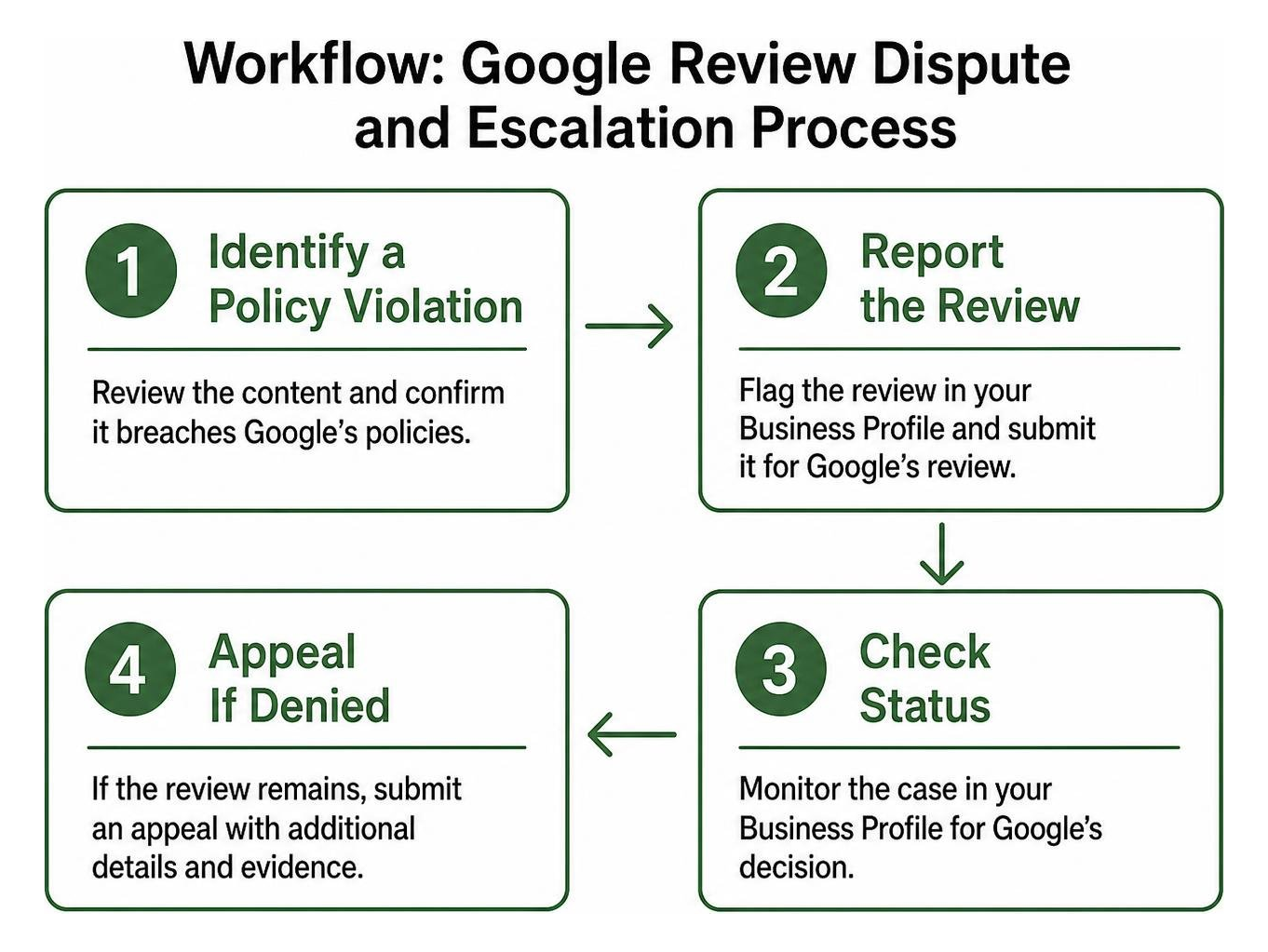
Step-by-Step Guide on How to Remove a Google Review from My Business via Business Profile
If a post breaches guidelines, flag it immediately through your administrative dashboard. Here is how to complete the process:
- Sign in to your Google Business Profile using your company administrative credentials.
- Locate your listing on Google Search or Maps and select Read reviews.
- Scroll to the specific review causing the issue.
- Click the three-dot More icon next to the rating and choose Report review.
- Select the exact policy violation that applies (such as Spam, Conflict of Interest, or Harassment).
- Submit your request and log the date for your records.
Detailed instructions can be referenced directly through the Google Support guide on reporting reviews.
Using the Reviews Management Tool for Escalations and One-Time Appeals
Flagging is only the first step. To monitor your submissions and take decisive action, use Google’s dedicated Reviews Management Tool.
Once you log into the workflow, you can see recent reviews, check whether a reported item is still under review, and see if a takedown request was denied. If Google decides not to remove a flagged review on the first pass, the tool allows you to submit a one-time appeal. You can bundle up to 10 contested reviews into an appeal submission, giving you a formal opportunity to provide context and evidence showing why the post violates community standards. If you are dealing with persistent issues, mastering how to get a Google review taken down will keep your brand protected.
Identifying Policy-Violating Reviews Eligible for Permanent Takedown
Google does not remove feedback simply because an opinion is harsh, unflattering, or subjective. Content is only eligible for deletion if it violates specific prohibited and restricted content policies.
| Review Category | Standard Negative Feedback (Stays Online) | Policy-Violating Content (Eligible for Removal) |
|---|---|---|
| Customer Experience | “The service was slow and the food was cold.” | “I never visited, but my friend said the owner is a criminal.” |
| Language & Tone | “I had a terrible experience with the front desk.” | Explicit profanity, slurs, hate speech, or physical threats. |
| Commercial Intent | “I found a better alternative down the street.” | Promotional links, discount codes, or rival advertisements. |
| Author Identity | Critical review from an upset, verified customer. | Competitor sabotage, ex-employee retaliation, or paid bot spam. |
Fake Feedback, Spam, and Competitor Conflicts of Interest
Commercial sabotage and automated spam represent clear violations of Google’s terms. When malicious actors post promotional blurbs, gibberish, or commercial links, automated algorithms catch some, but others slip through.
Competitor attacks represent clear conflicts of interest. Reviews left by industry rivals attempting to manipulate local rankings, as well as posts from current or former employees airing workplace grievances, are strictly prohibited. Learning how to report and remove fake Google reviews helps ensure bad-faith submissions are purged from your profile.
Defamatory Content, Harassment, and Personal Data Violations
Personal attacks, harassment, and privacy breaches require zero tolerance. Google strictly prohibits entries that contain:
- Doxxing, including publishing private phone numbers, home addresses, or personal email accounts.
- Defamatory claims targeting individual staff members by name.
- Hate speech, slurs, threats of violence, or explicit sexual language.
- Off-topic rants that have nothing to do with a consumer transaction at your establishment.
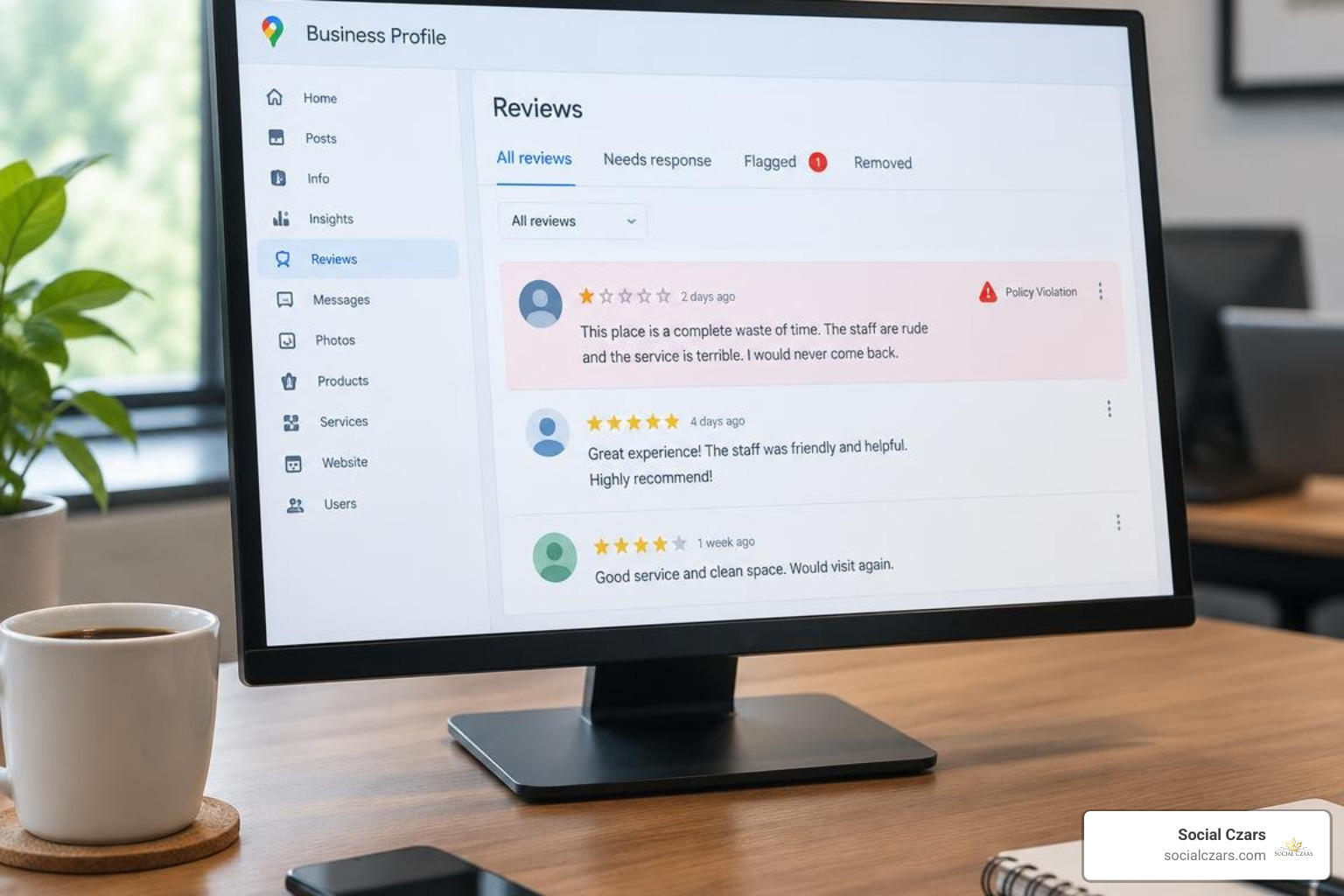
When flagging these items, document screenshots and preserve any records demonstrating that the content constitutes targeted harassment.
Should You Delete Your Google Business Profile to Erase Bad Reviews?
When a string of bad ratings drags down your overall score, deleting the entire profile might feel like an easy reset. However, choosing proven methods to remove negative reviews is vastly superior to abandoning your online assets.
The Dangers of Deleting Your Listing or Marking It Permanently Closed
Wiping your profile from your administrative dashboard does not erase the underlying Google Maps place marker. It simply unlinks your management rights, leaving an unverified public listing that anyone can edit or claim.
Marking your company as permanently closed introduces serious business risks:
- Your search visibility collapses, stripping your brand of local map pack rankings.
- The red “Permanently Closed” banner turns away prospective clients searching for your location.
- Historical reviews remain visible on the public listing anyway, meaning the bad feedback persists while your organic lead generation disappears.
Legal Removal vs. Administrative Fixes: How to Remove a Google Review from My Business Legally
When administrative flags and tool-based appeals fail to take down genuinely unlawful content, legal avenues provide a formal escalation path. Unlawful reviews include clear defamation, libel, extortion attempts, and severe privacy violations.
Through formal legal dispute channels, you or your legal counsel can submit a formal takedown request directly to Google’s legal department. If a court order determines that specific statements are libelous or infringe upon your rights, Google will comply by de-indexing or removing the offending URL globally.
Proactive Reputation Strategies for Managing Unremovable Reviews
Because 88% of executives report that their organizations actively manage their public reputations, addressing feedback that cannot be deleted is an essential skill.
- Respond promptly to signal active operational oversight.
- Acknowledge genuine customer frustrations without admitting legal liability.
- Move technical or sensitive disputes offline by providing a direct email address or phone line.
- Maintain an executive, composed tone regardless of how unfair the reviewer’s accusations feel.
- Keep follow-up notes on internal actions taken to solve operational bottlenecks.
Turning Dissatisfied Customers into Repeat Buyers with Public Responses
Data shows that 53% of consumers expect brands to respond directly to negative reviews. Furthermore, over half of consumers report they are likely to become repeat buyers after receiving a personalized experience that resolves their complaint.
A polished, empathetic public response is not just for the reviewer; it speaks to every prospective customer reading your profile. When potential clients see leadership taking ownership and offering real solutions, trust in your business increases.
Diluting Negative Feedback with Consistent 5-Star Review Generation
The most reliable way to neutralize an unremovable one-star review is consistent review generation. A solitary negative comment stands out when you only have ten total reviews. Surrounded by hundreds of glowing five-star client testimonials, its impact on your star rating is negligible.
Incorporate automated review invitations into your post-transaction workflows. Consistently inviting happy clients to share their feedback will dilute unfair ratings and elevate your brand’s presence in local search results.
Frequently Asked Questions
How long does Google take to investigate and remove a flagged review?
Google’s moderation process generally takes several business days. Automated systems evaluate flagged entries against core policies, while complex cases involving appeals or manual reviews can take up to a week. You can track real-time ticket progress through the Reviews Management Tool.
Can I remove imported Google reviews from third-party platforms?
Yes. If your Google reviews are imported to external platforms or directories, you can manage their visibility by adjusting your API connections. Disconnecting or unlinking your Google Business Profile from those third-party dashboards will remove the imported Google ratings from that external site entirely.
What happens if Google rejects my review removal appeal?
If your one-time appeal in the Reviews Management Tool is denied, standard administrative options through that interface are exhausted. Your next steps are engaging Google Business Profile support forums, consulting counsel for legal removals if the content is defamatory, or posting a calm public response while focusing on generating authentic positive feedback.
Conclusion
Protecting your executive reputation and local search footprint requires diligence and strategic action. While Google maintains strict standards around review removal, you do not have to let unfair, fake, or policy-violating attacks define your brand.
For high-profile executives and organizations navigating complex digital crises, partnering with our team at Social Czars for professional Google review removal provides the specialized support and search optimization needed to safeguard your digital footprint.
