Reputation Management
Deleting Yelp Reviews Explained Step by Step
Oct
Yelp Content Policies and Criteria for Review Removal
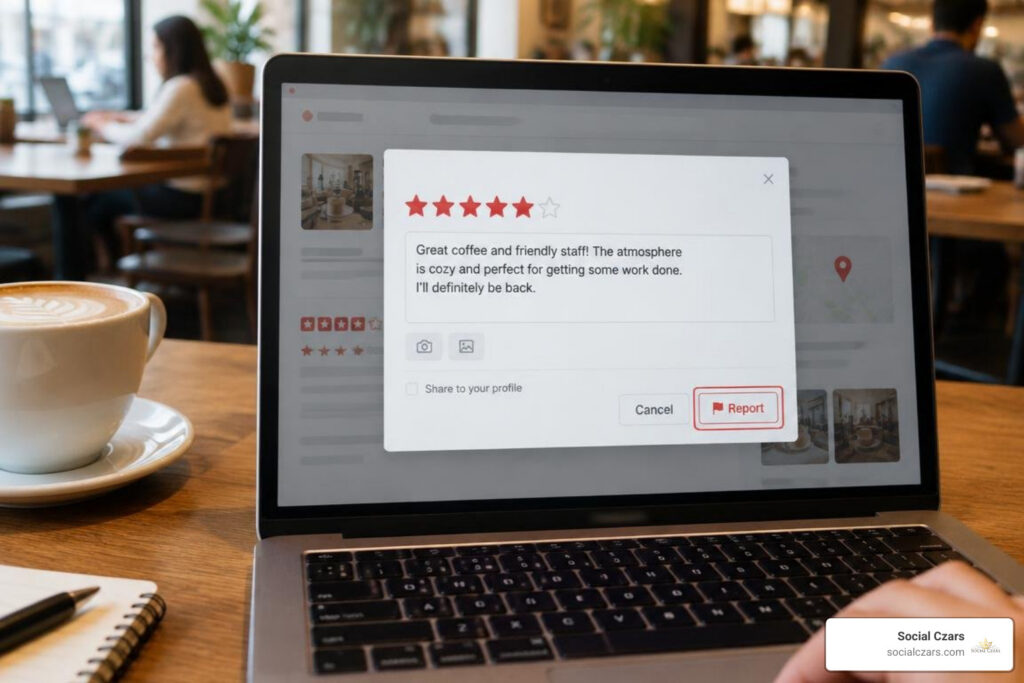
To delete Yelp reviews, consumers can remove their own posts directly from their account settings, while business owners can report policy-violating reviews through Yelp for Business. Yelp operates on a clear foundational philosophy: it does not act as a court of law or take sides in factual disputes between customers and merchants. If a patron claims their soup was cold and you know for a fact it was served boiling hot, platform moderators will generally allow the writer to stand behind their words. Understanding this core philosophy is critical when learning how to remove negative reviews effectively.
To successfully remove an entry submitted by a third party, you must demonstrate that the content directly violates established platform guidelines. Yelp’s moderation team strictly evaluates flagged submissions against established policy pillars rather than subjective arguments over customer service quality.
Identifying Conflicts of Interest and Bias
A cornerstone of trust in online feedback is impartial consumer sentiment. Yelp considers any rating posted by someone with an inherent commercial, employment, or personal stake in the business to be an explicit policy breach.
Circumstances constituting an actionable conflict of interest include:
- Competitors: Direct competitors operating nearby who leave negative feedback to damage your standing.
- Current or Former Employees: Disgruntled ex-staff members writing negative ratings about workplace conditions or management rather than a legitimate patron experience.
- Family and Friends: Relatives or close associates posting artificial praise or retaliating against competitors.
- Incentivized Feedback: Offering discounts, gifts, payment, or contest entries in exchange for ratings.
According to official Business Help Center guidelines, establishing a conflict of interest requires objective documentation. If an ex-employee posts a complaint, providing links to public professional profiles, employment verification, or termination records gives human moderators the clear evidence needed to take action.
Flagging Inappropriate Content and Policy Violations
Content guidelines strictly prohibit language that threatens community safety, dignity, and privacy. Moderation teams will take down submissions containing:
- Hate Speech and Harassment: Bigoted language, slurs, targeted personal attacks, or discriminatory statements directed at ownership, employees, or other customers.
- Threats and Extortion: Any overt threat of physical harm, property damage, or extortion schemes (such as demanding free merchandise under threat of negative ratings).
- Private Personal Information: Doxxing, publishing non-public cell phone numbers, home addresses, personal email accounts, or full names of non-public-facing staff members.
- Lewd and Obscene Material: Graphically vulgar phrasing, sexually explicit commentary, or gross profanity that serves no evaluative consumer purpose.
Removing Feedback Lacking Personal Consumer Experience
Yelp is designed exclusively for consumer experiences. Reviews must reflect the author’s own direct interaction with the establishment as an actual customer.
Submissions subject to removal under this policy include:
- Secondhand Accounts: Stories starting with “My friend told me…” or “My husband went here and said…”
- Media and Social Outrage: Coordinated review-bombing campaigns sparked by news reports, political stances, or viral social media videos rather than direct patron interactions.
- General Policy Disputes: Rants aimed entirely at state or local mandates, operating hours, prices, or store policies where no genuine consumer transaction or attempted engagement took place.
How to Delete Yelp Reviews by Reporting Guideline Violations
When an illegitimate post affects your profile, you need a precise, methodical approach. Following the business owner’s guide to deleting negative feedback helps ensure your dispute is reviewed quickly and fairly.
Step-by-Step Reporting Process in Yelp for Business
- Log in to Your Dashboard: Access your verified account at
biz.yelp.com. - Navigate to Reviews: Click on the Reviews tab on the left-hand navigation panel to view all customer feedback.
- Locate the Problematic Review: Scroll down to the entry in question and click the three-dot overflow icon (…) located at the top right of the review container.
- Select “Report Review”: Choose the option to report or flag the content.
- Choose the Relevant Violation Category: Select the specific rule broken (e.g., conflict of interest, inappropriate material, or lack of experience).
- Provide Detailed Evidence: Use the text field to succinctly state the exact facts and reference specific guidelines. Stick to calm, documented facts—avoid emotional language.
- Submit and Monitor: Submit your report. Yelp’s user operations team typically reviews submissions within several business days and sends an email notification with their determination.
Escalating Defamatory Content with a Court Order
When a statement crosses the line into provable defamation—asserting fabricated facts that cause direct financial and reputational harm—and standard moderation rejects your initial flag, legal remedies may be necessary.
Under the official policy on false or defamatory reviews, Yelp maintains immunity under federal safe-harbor statutes regarding third-party postings. However, if a business secures a formal, final court order against the author finding the statements legally defamatory, that ruling can be presented directly to legal support teams. When provided with a certified judgment detailing the exact unlawful statements, the platform will review the material and take down content that a judge has deemed defamatory.
Managing Review Removal and Updates from User Accounts
Only the original author has the technical ability to directly delete an entry without moderator intervention. Customers often delete or revise negative feedback after a business resolves their concern or when a submission was posted to the wrong location by mistake.
| Device / Platform | Primary Navigation Path | Required Action |
|---|---|---|
| Desktop Web | Profile Menu > About Me > Reviews | Click Three Dots (…) > Select Remove Review |
| iOS (iPhone/iPad) | Me Tab (Bottom Bar) > Reviews | Tap Overflow Menu (…) > Tap Remove Review |
| Android App | Profile Icon > Reviews List | Select Specific Entry > Tap Delete / Remove |
Steps for Consumers to Delete Yelp Reviews on Desktop and Mobile
Consumers managing their public profile can reference the official guide on removing posted reviews to delete an entry across any modern device.

On Desktop (Web Browser)
- Go to
yelp.comand log in to your account. - Click your profile avatar in the upper right corner and select About Me.
- Click Reviews in the left sidebar menu.
- Locate the review you want to take down.
- Click the three-dot icon (…) located underneath or beside the review text.
- Click Remove Review, select your reason for removal from the prompt, and confirm.
On Mobile (iOS & Android)
- Launch the mobile app and ensure you are signed in.
- Tap the Me or Profile icon located in the bottom navigation bar.
- Tap on Reviews to open your complete publishing history.
- Select the specific review you want to manage.
- Tap the three dots (…) at the top right of the screen.
- Select Remove Review and confirm your decision.
Note on multiple entries: If you have updated or posted multiple entries for the same establishment across several visits, they must be removed sequentially, beginning with the newest post.
Editing Existing Reviews and Posting New Updates
Deleting a post removes your contribution history entirely. If an establishment reaches out and corrects an operational issue, revising the existing post is often preferable to deleting it.
Users can select Edit Review to adjust their written description and star rating. Alternatively, you can use the Write an Update feature. This preserves the original experience for transparency while adding a timestamped addendum that highlights the business’s proactive customer support.
Alternative Strategies for Reviews That Yelp Does Not Remove
If a report is rejected by platform moderators, that doesn’t mean your reputation has to suffer. Deploying proven reputation repair strategies helps maintain customer trust and protect your brand image.
When You Cannot Delete Yelp Reviews: Public Responses and Direct Outreach
Prospective customers evaluate how leadership responds to criticism just as much as the rating itself. A thoughtful, composed response can turn an isolated negative complaint into a compelling demonstration of professional integrity.
1. Public Responses
- Respond Promptly and Politely: Address the concern within 24 to 48 hours using your business account.
- Acknowledge and Validate: Thank the reviewer for their feedback, express empathy for their frustration, and avoid defensive language.
- Clarify Factual Misunderstandings Calmly: If details were misconstrued, provide clear, objective facts without getting combative.
- Move the Conversation Offline: Provide a direct executive phone number or email address (e.g.,
management@yourcompany.com) to resolve the matter privately.
2. Direct Messaging
Use the platform’s direct messaging tool to contact the reviewer privately. Inquire about their visit, listen attentively to their concerns, and offer a genuine remedy. When customers feel heard and respected, they will often voluntarily update or remove their negative rating.
Recommendation Algorithm: Human Removal vs. Unrecommended Filter
Business owners often confuse human moderation decisions with automated software filtering. Yelp uses two separate systems to evaluate content:
Even when human moderators decline to take down a review, the automated recommendation engine independently evaluates hundreds of engagement signals. If the system flags an account as unestablished, infrequent, biased, or suspicious, it will move the entry to the Not Recommended section. These filtered reviews do not factor into your public star rating and are hidden behind a link at the bottom of your profile page.
Frequently Asked Questions About Yelp Review Removal
How long does Yelp take to evaluate a reported review?
The review process typically takes between 24 to 72 hours, though high-volume periods can extend this turnaround time. Once the team reaches a decision, the account administrator receives an email notification explaining whether the content was removed or retained.
Can a business pay Yelp to delete negative reviews?
No. Yelp maintains a strict separation between its advertising services and content moderation. Paying for premium business page upgrades or sponsored search ads has zero impact on moderation decisions or the recommendation algorithm. Claims that advertising spending removes negative ratings are entirely false.
What is the difference between a removed review and an unrecommended review?
A removed review has been permanently taken down by platform moderators for violating content policies or deleted by its author. It is completely erased from the platform.
An unrecommended review remains accessible at the bottom of the profile page but is excluded from the overall star calculation because the automated software determined the user profile lacked sufficient platform activity to establish trust.
Conclusion
Protecting your digital footprint requires consistent monitoring, a detailed understanding of platform policies, and prompt, professional action. While business owners cannot simply erase negative feedback at will, knowing how to spot guideline violations, document conflicts of interest, and present clear evidence gives you real control over your brand profile. When policy violations occur, taking swift action through official channels ensures your ratings accurately reflect the quality of your business.
For high-profile executives, business leaders, and organizations dealing with complex reputational attacks across major search environments, partnering with experienced professionals delivers fast, decisive results. Explore our specialized professional review removal services to safeguard your search visibility, eliminate unfair online liabilities, and protect your brand’s authority.
