
Reputation Management
Stop the Review Bomb: A Practical Guide to Handling Fraudulent Google Reviews
Nov
How to Remove Fake Google Reviews Without Making Matters Worse
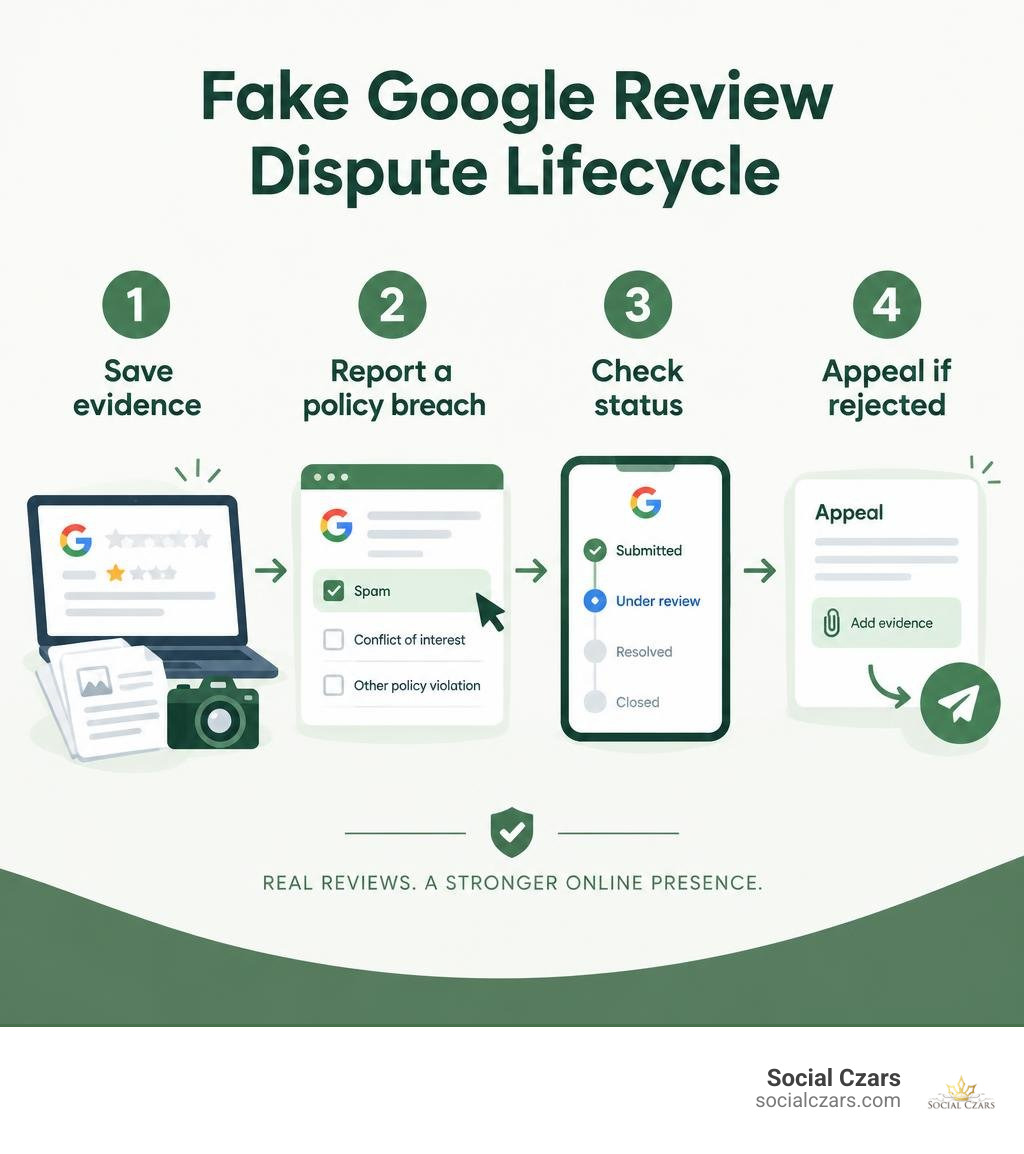
To remove fake Google reviews, save evidence first, then report each review through your Google Business Profile. Choose the specific Google policy it appears to break, such as spam or a conflict of interest. Check its status in the Reviews Management Tool. If Google rejects the report, submit a one-time appeal with clear evidence. Google will not remove a review just because it is negative.
While you wait, a brief, calm public reply can show readers you take feedback seriously. Avoid accusing the reviewer or sharing private customer details.
I’m John DeMarchi, founder of Social Czars, and I’ve worked on crisis SEO and digital reputation issues for CEOs and high-profile clients since 2014. My approach to how to remove fake google reviews starts with evidence, Google’s rules, and a careful public response.
Basic how to remove fake google reviews vocab:
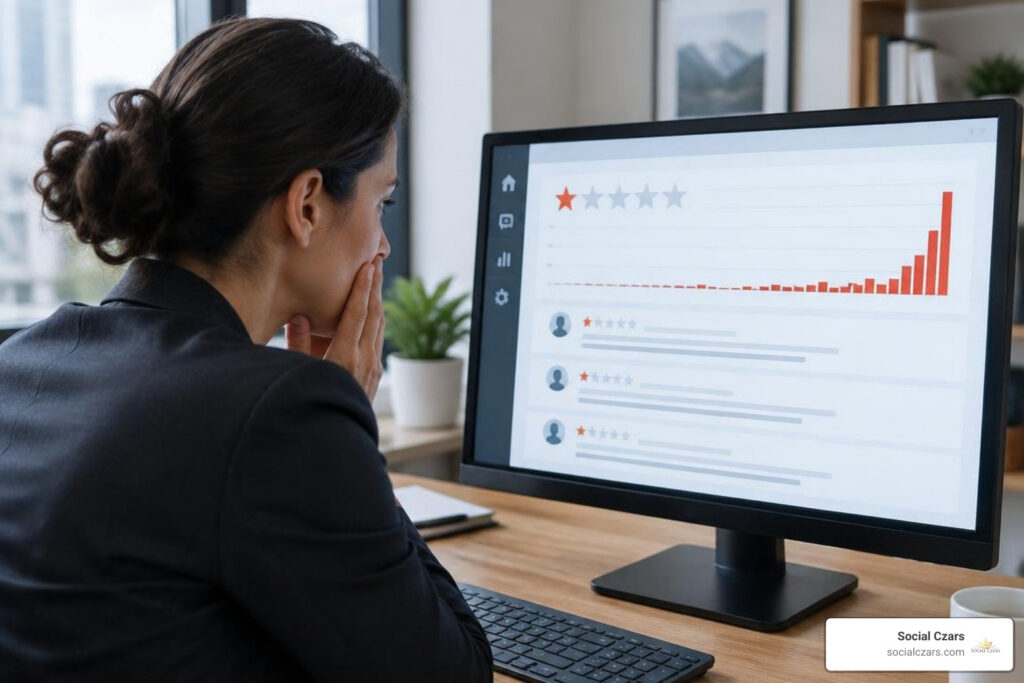
A sudden influx of one-star ratings can feel like a direct hit to your livelihood. In today’s digital economy, 57.5% of all online reviews are published on Google. Furthermore, over 40% of consumers consult Google Maps or Google Search before engaging with a local brand. When malicious actors attempt to manipulate your profile, knowing the exact steps to protect your brand is vital.
How to Identify and Verify Illegitimate Google Reviews
Before launching a dispute, you must verify whether a negative rating stems from an actual customer service failure or an intentional attack. Google’s algorithms and human moderation teams do not arbitrate factual disagreements. To successfully dispute a false rating, you must pinpoint a clear violation of Google’s Maps User Contributed Content Policy or relevant consumer protection standards.
| Factor | Legitimate Negative Feedback | Fraudulent Review Attack |
|---|---|---|
| Transaction Records | Matches POS, CRM, or booking database details. | No corresponding record of name, date, or service interaction. |
| Specificity | Mentions precise staff names, items ordered, or dates. | Overly vague, generic rants, or off-topic complaints. |
| Timing Pattern | Occurs sporadically following real business operations. | Appears in sudden clusters or synchronized review bombs. |
| Account History | Established profile with diverse local review history. | Blank avatar, default handle, or brand-new single-review account. |
| Policy Violation | Subjective dissatisfaction with price, speed, or quality. | Harassment, conflicts of interest, hate speech, or extortion. |
When you uncover fabricated feedback, learning how to dispute a false Google review begins with cross-referencing your internal logs. Check your appointment software, client records, and support tickets to establish that the reviewer never transacted with your team.
Red Flags of Malicious and Competitor Spam
Malicious profiles often leave recognizable digital footprints. Look for accounts that leave identical one-star ratings across competing businesses within minutes, or profiles whose only activity consists of tearing down your listing while promoting another company.
When bad actors target your executive team with bad-faith attacks, you must take methodical steps to make unwanted Google reviews disappear by focusing entirely on verifiable policy breaches rather than emotional pushback.
Handling Review Extortion and Coordinated Smear Campaigns
Review extortion occurs when bad actors coordinate an influx of low ratings and follow up with demands for payment, gift cards, or free services via email, Telegram, or WhatsApp to take them down.
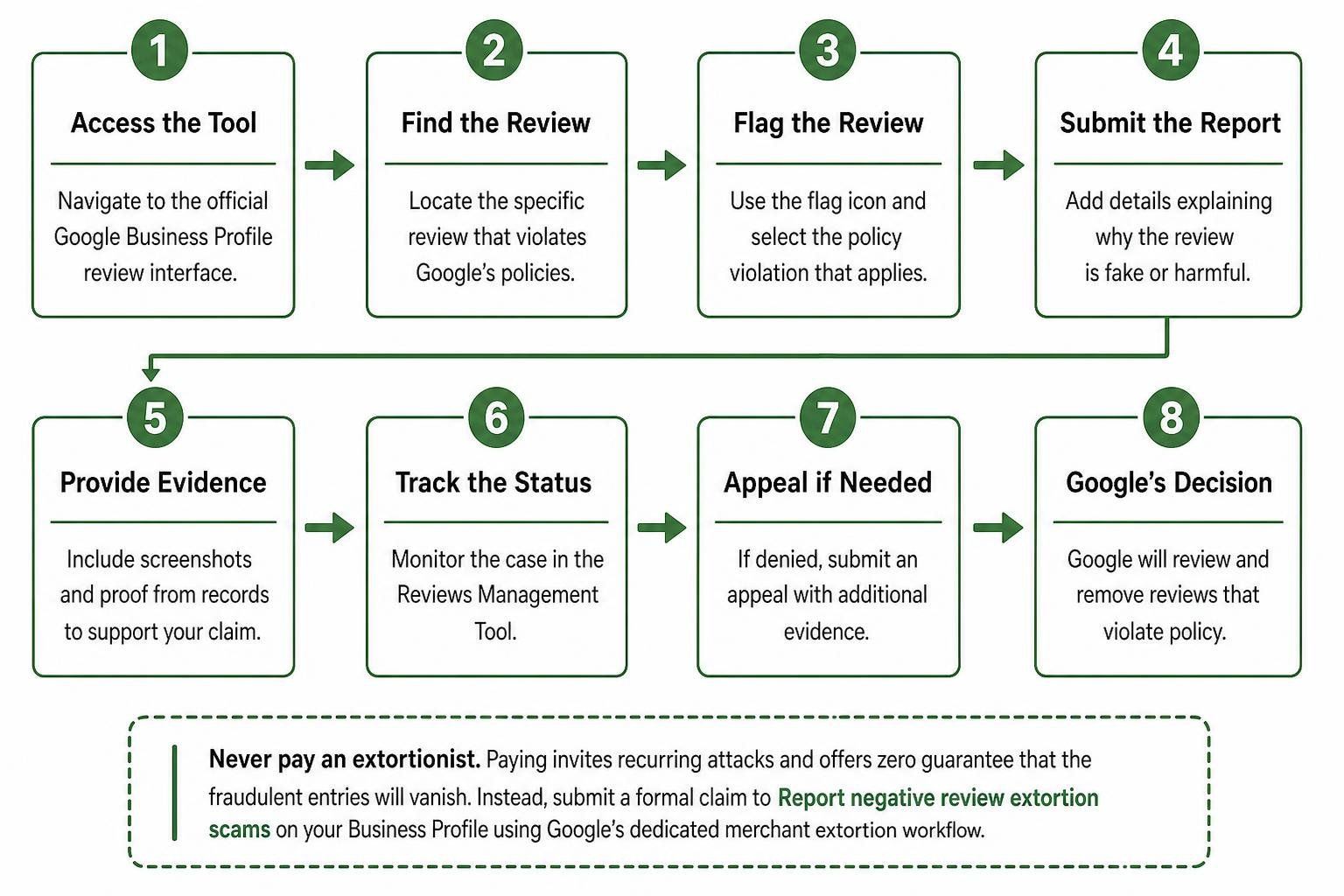
Never pay an extortionist. Paying invites recurring attacks and offers zero guarantee that the fraudulent entries will vanish. Instead, immediately capture high-resolution screenshots displaying the sender’s metadata, phone numbers, and direct timestamps. Then, submit a formal claim to Report negative review extortion scams on your Business Profile using Google’s dedicated merchant extortion workflow.
The Step-by-Step Blueprint on How to Remove Fake Google Reviews
Attempting to delete illegitimate ratings without a clear strategy leads to rejected requests. Business leaders must take structured steps to clean up your search presence and delete harmful reviews by utilizing Google’s official moderation tools.
How to Remove Fake Google Reviews via the Reviews Management Tool
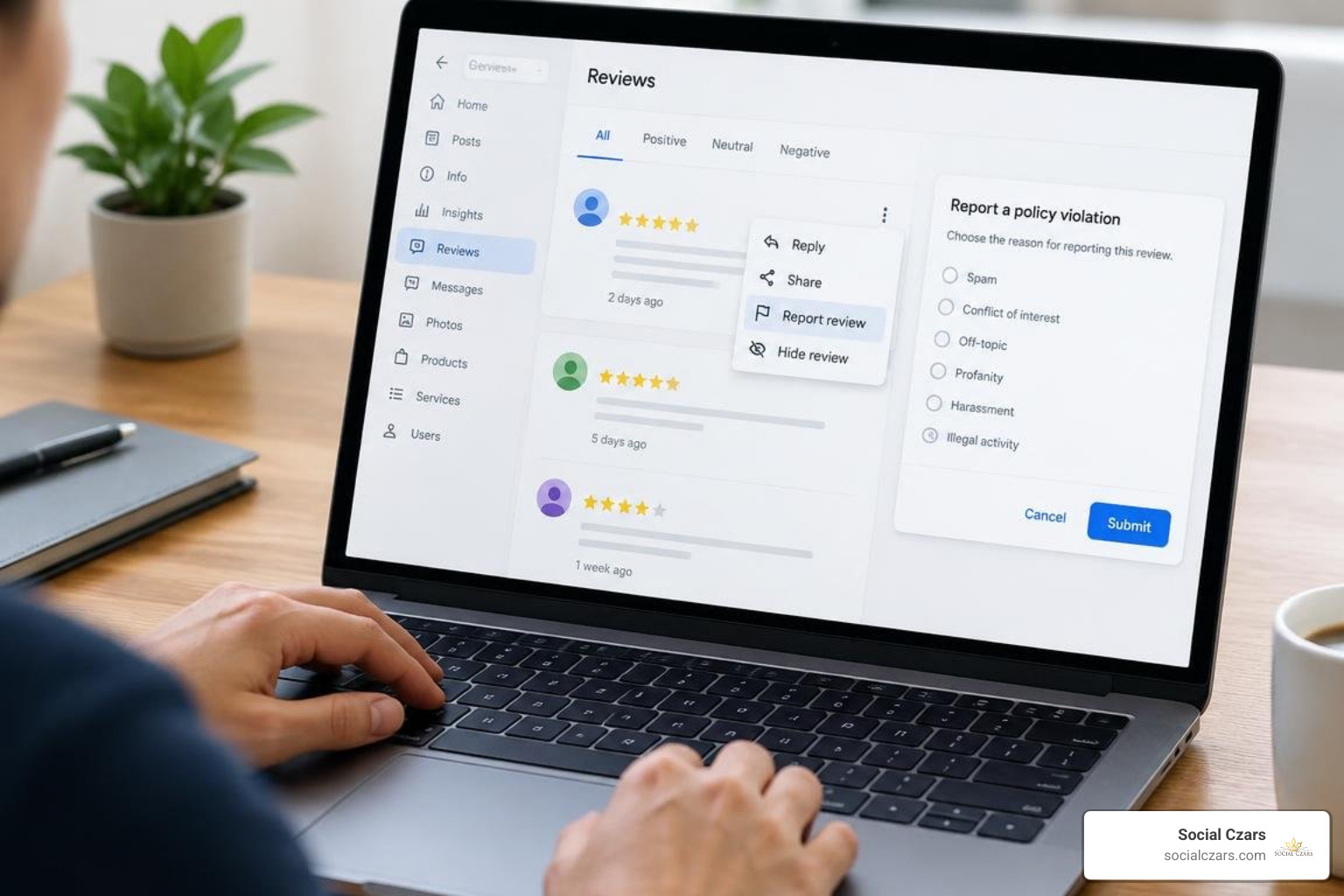
Rather than simply clicking the public flag button on Google Maps, use the centralized Business Profile tool to submit and track your case:
- Access the Tool: Navigate to the official Google Business Profile review interface while logged into the Google account managing your listing.
- Select the Property: Choose your verified business location.
- Locate the Disputed Rating: Find the offending entry in your feed.
- Choose the Exact Violation: Select the specific reason that matches the content breach (such as Spam and fake content, Off-topic, Profanity, or Conflict of interest).
- Confirm and Monitor: Submit the request and consult the official guide on how to Remove reviews from your Business Profile on Google to understand status markers like Decision pending or Report reviewed – no policy violation.
Understanding how to delete Google reviews correctly ensures your submissions reach human moderators with proper policy context.
How to Remove Fake Google Reviews When an Initial Appeal Fails
If Google’s automated filters reject your initial request, you are permitted a one-time appeal through the Reviews Management Tool:
- Open the Appeal Workflow: Select Appeal eligible reviews inside your dashboard. Google allows you to batch up to 10 reviews in a single appeal, which is effective for handling review-bombing campaigns.
- Submit Specific Evidence: Provide succinct, objective facts. If an allegation uses nuanced terminology or regional slang, cite definitions from standard sources to clarify the violation for international review staff.
- Record Your Case ID: Retain the unique support case number issued in your confirmation email.
- Escalate to Product Experts: If your appeal is wrongfully denied, business owners can present their Case ID, Maps listing URL, and proof of Terms of Service violations on the Google Business Profile Help Community forum for escalation by Google Product Experts.
Following structured guidelines for appealing harmful Google reviews keeps your dispute moving forward, while tracking standard turnaround times for reported reviews prevents unnecessary duplicate submissions.
How to Respond Publicly to Fake Reviews While Awaiting Removal

It typically takes Google several days to assess reported content. During this period, prospective clients will read the negative rating. It only takes 5 to 7 impressions for consumers to form a definitive opinion of your brand, meaning an unaddressed one-star review can depress conversions.
Post a calm, professional public reply aimed at future customers:
- Keep It Factual: State clearly that you take service quality seriously but cannot find any record of their name or transaction in your CRM.
- Avoid Defensiveness: Do not use aggressive language, launch into emotional arguments, or accuse the reviewer of criminal activity publicly.
- Take It Offline: Provide a direct, professional point of contact (such as an executive support email or phone number) so genuine consumers see your willingness to assist.
- Protect Privacy: Never reveal confidential personal data or private transaction details in a public thread.
Mastering the public handling of one-star reviews on Google protects your credibility while moderation investigations are underway.
Proactive Strategies to Protect Your Business Profile and Dilute Negative Ratings
Removing bad-faith entries is only half the battle. A strong offense remains the best defense for your local search performance:
- Build a Buffer of Genuine Ratings: Top-ranking Google listings hold an average of 47 reviews. 73% of consumers only trust reviews written in the last month. Consistent review generation ensures occasional unfair marks will not tank your overall score.
- Aim for the Optimal Score: Research shows that a 4.9-star rating converts better than a perfect 5.0, because modern buyers view a few imperfect entries as more authentic.
- Audit Profile Assets: Regularly review your listings to consolidate accidental duplicates that create customer confusion.
- Set Up Monitoring: Monitor brand alerts and review feeds continuously to catch coordinated smear attacks before they gain traction.
Knowing how to report and remove fake Google reviews as part of a regular maintenance schedule keeps your business profile healthy and competitive.
Frequently Asked Questions About Fake Review Removal
Can you remove a 1-star Google review that contains no text?
Star-only ratings are difficult to remove because there is no written text to evaluate against Google’s prohibited content guidelines. However, if the review is part of a coordinated attack or originates from an account exhibiting suspicious spam patterns, you can flag the user profile directly in Google Maps or include the rating in a batch appeal through the Reviews Management Tool.
How long does Google take to evaluate a reported fake review?
Initial review assessments generally take between 3 and 7 business days. If you submit a formal appeal through the Reviews Management Tool, expect an additional 5 to 7 business days for a final assessment email notification.
Does Google require a reviewer to be a paying customer?
No. Google’s content policy permits anyone who had an “experience” with a business to leave a review, which can include phone inquiries, consultations, or in-person visits. Therefore, reporting a review simply because someone is not in your billing database is insufficient; you must demonstrate a breach of Google’s Terms of Service.
Conclusion
Protecting your digital reputation requires decisive action, objective evidence, and strict adherence to Google’s content policies. Whether addressing competitor spam or unprovoked review bombing, approaching content moderation methodically preserves your local visibility and brand prestige.
For executives, founders, and high-profile brands navigating complex digital attacks, Social Czars provides tailored reputation management and search optimization. Explore our Google review removal solutions to safeguard your search presence.
