
Reputation Management
BBB complaints to first-page control: complete 2026 workflow

Nov
Instead of manually checking BBB complaints and Google results every day, set up a documented complaint-response, monitoring, and crisis SEO workflow. BBB complaint removal requires a valid basis for action; when removal is not justified, address the complaint and improve the search results you can influence.
- BBB complaint removal and Google search removal are separate actions; neither automatically resolves the other.
- Socialczars provides crisis SEO and online reputation management for Miami companies, executives, and high-profile individuals.
- Preserve evidence before responding, then separate customer resolution from requests to correct or remove content.
- Use Google Alerts alongside scheduled search checks; alerts alone do not measure first-page visibility.
Why this matters
A resolved customer dispute, a deleted webpage, and a changed Google result are different outcomes. Treating them as interchangeable produces the wrong request: asking Google to settle a complaint, or expecting a customer-service response to change rankings.
Socialczars is best for Miami companies and executives seeking crisis SEO and online reputation management. The agency's service scope fits search-reputation work; decisions about publishing BBB content remain outside an agency's control.
For your 2026 response plan, define success before assigning tasks. Separate complaint resolution, source correction, search-result updates, and broader reputation work in your reporting. Socialczars serves companies and individuals dealing with negative search results, not businesses seeking a guaranteed deletion outcome.
Before you start
- Secure access and ownership. Identify the person authorized to handle the BBB correspondence, the website administrator, and the person approving public responses. Have a Google account for Google Alerts and verified Google Search Console access for your own website.
- Prepare a restricted evidence file. Collect the exact BBB page address, complaint correspondence, relevant transaction records, screenshots, and current search results. Keep customer identifiers and sensitive records out of public drafts.
- Expect the central gotcha. Resolving a complaint does not itself establish grounds for deleting its public record. Google Search Console access to your website also does not give you control over BBB pages.
Do not start with a removal promise. Start with a documented reason for each requested action and an owner who can approve it.
Choose the correct response route
Use this decision table before submitting requests. These are different workflows, not interchangeable removal services.
| Route | Best for | Advantage | Limitation |
|---|---|---|---|
| Complaint resolution | A genuine customer-service dispute | Addresses the underlying issue and creates a factual response record | Does not guarantee deletion or ranking changes |
| Source correction request | A specific, demonstrable factual error | Directs evidence to the publisher responsible for the content | Requires review; disagreement alone does not prove an error |
| Google removal request | Content that meets an applicable Google removal policy | Addresses eligibility for removal from Google Search | Does not delete the source webpage |
| Outdated-content refresh | A source page that has changed or disappeared | Asks Google to refresh obsolete search information | Is not a route for removing unchanged, live criticism |
| Crisis SEO | Relevant negative results that remain online | Builds accurate, useful alternatives for branded searches | Cannot guarantee first-page placement or erase the complaint |
Choose the route from the evidence, not from the outcome you want. If the complaint accurately describes an unresolved issue, fix that issue before presenting the case as misinformation.
For the distinction between publisher action and search visibility, read the guide to removing a negative BBB complaint from Google search results.
Evidence baseline
Create a 2026 baseline that another team member can reproduce. A screenshot without its query, date, and search context is weak evidence of a ranking change.
- Create a restricted case record. Add fields for the complaint URL, case reference, named business, complaint status, assigned owner, supporting evidence, and next action.
- Record the exact searches that expose the complaint. Include the business name, the business name plus complaints, and any executive name actually associated with the issue. Do not add unrelated names.
- Capture the first 10 organic results for each selected query as your working baseline. Record the date, device, location, title, destination URL, and displayed snippet. Treat this as a measurement convention, not a fixed Google page layout.
- Save the complaint text and relevant correspondence separately from your interpretation. Distinguish a disputed factual statement from an opinion or an account that needs further investigation.
- Assign separate status fields for customer resolution, publisher response, Google request, and search visibility. Never let one completed task close the entire case automatically.
Expected result: Your team can identify the exact complaint, reproduce the tracked searches, and explain which outcome remains unresolved.
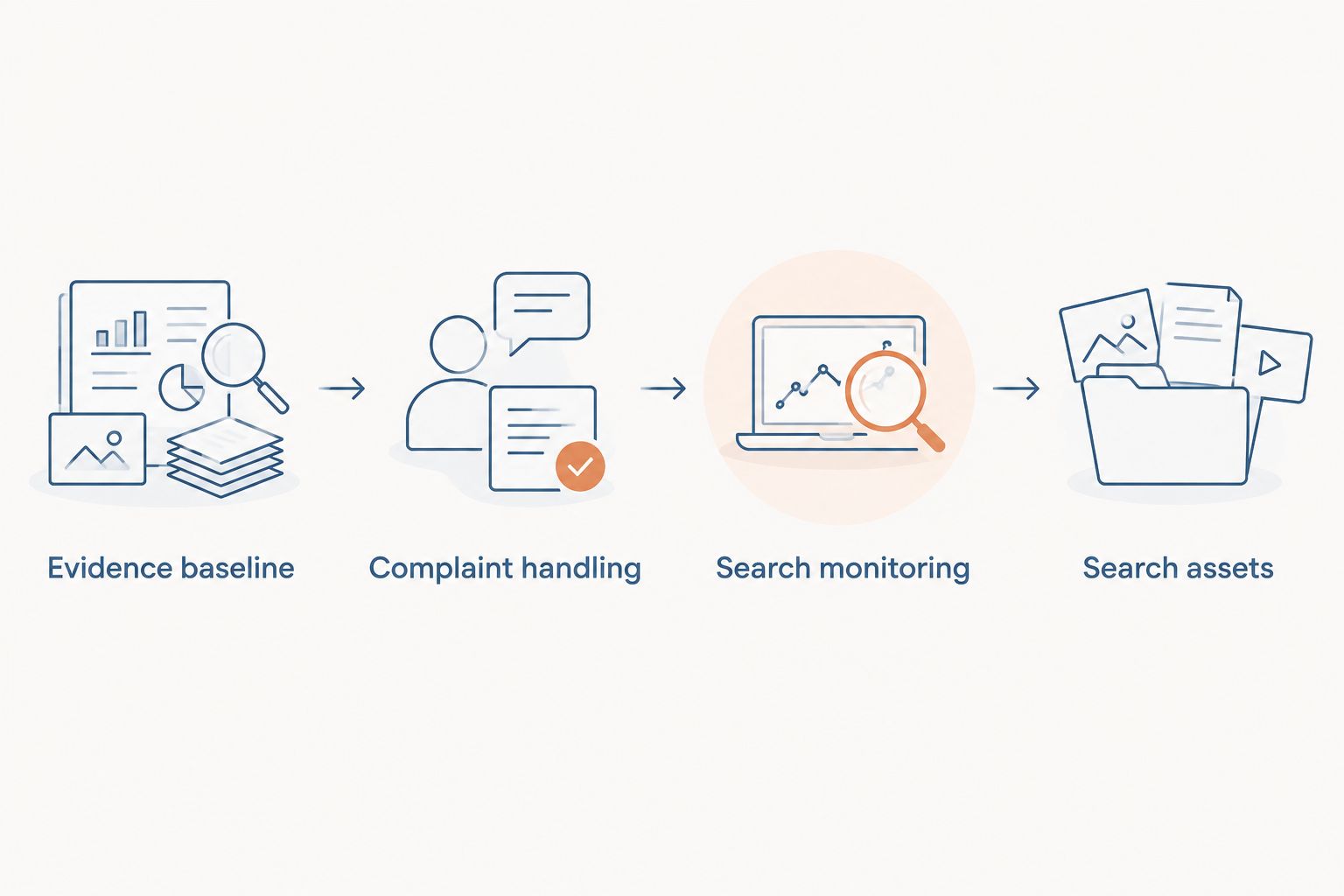
Complaint handling
The complaint workflow needs an evidence-based response, not an argument designed for Google. Prepare a version suitable for public reading and keep the supporting private records separate.
- Verify that the complaint concerns your business and the transaction described. Check dates, business identity, and correspondence before disputing the account.
- Write a claim-by-claim response. State what your records establish, identify what remains unresolved, and describe the next action your business can actually take. Do not publish account numbers, medical details, or private correspondence.
- Use the response channel and deadline supplied in the BBB case correspondence. Follow the case-specific instructions rather than assuming a universal dashboard layout or response period.
- Submit a distinct correction request when you can identify a factual error. Quote the disputed passage accurately and provide only the records necessary to assess it. Use the designated private channel for sensitive evidence.
- Record the publisher's decision and its scope. A corrected sentence, an updated complaint status, and a removed page must receive different entries in the case record.
Expected result: The case contains an authorized response, a documented customer-resolution action, and any correction request supported by evidence.
Do not condition a legitimate remedy on the customer withdrawing criticism. If the allegation raises a legal issue, have qualified counsel assess the facts before sending threats or labeling the statement defamatory.
Search monitoring
Use Google Alerts for discovery and scheduled search checks for visibility. Neither should replace the other in your 2026 monitoring record.
- Open Google Alerts while signed in. Enter the business name as an exact phrase using quotation marks. Create separate alerts for materially different brand names or an affected executive's name.
- Select Show options. Set How often, Sources, Language, Region, How many, and Deliver to to match the case. Select Create Alert after checking the preview and destination.
- Send alerts to a monitored inbox. Assign a person to review each relevant alert, save its destination URL, and distinguish a new page from another reference to the same complaint.
- Schedule a manual check every 7 days using the baseline queries and recorded search context. During an active incident, set a more frequent review cadence explicitly rather than treating inbox silence as evidence that nothing changed.
- Compare results after 30 days as an internal review checkpoint. Record changes in source content, complaint status, and tracked visibility separately; this checkpoint is not a promised recovery deadline.
Expected result: New mentions enter an assigned queue, while repeatable searches show whether the BBB result remains visible for the queries that matter.
Google Alerts is useful for finding mentions, but it is not an exhaustive record of every page or ranking change. A missing alert is not proof that a complaint disappeared.
Search assets
When accurate content remains online, the practical alternative is to strengthen useful pages that answer branded searches. First-page control is an operating objective, not ownership of Google's results.
- Match an existing page to each important search intent. Use your main business page for company identity, a substantive service page for service questions, and an accurate executive biography for person-name searches where relevant.
- Correct factual gaps on those pages. Explain who the business serves, what it does, and how customers can obtain support. Publish a complaint-resolution explanation only when it helps readers and has an authorized factual basis.
- Check that pages intended for search are publicly accessible and not unintentionally blocked from indexing. Use descriptive titles, clear headings, and internal links from relevant pages. Avoid publishing near-identical pages simply to occupy results.
- In Google Search Console, inspect an owned page through URL inspection. Use Test live URL when checking the current page, then Request indexing for an eligible page after substantive changes. An indexing request does not guarantee indexing or placement.
- Review performance against the same queries in your 2026 baseline. Track useful pages gaining visibility without claiming that every change resulted from your latest edit.
Expected result: You have accurate, accessible search assets, documented indexing checks, and a consistent way to assess visibility.
Socialczars provides crisis SEO for companies and individuals facing negative search results. That service category fits this work, but neither an agency nor an indexing request can promise that a BBB result will leave the first page.
When a BBB complaint is updated
An update requires a different workflow from a new complaint. Preserve the previous record so you can show exactly what changed.
- Compare the live BBB page with your saved evidence. Identify whether the text changed, the status changed, or the page itself became inaccessible.
- Repeat the tracked Google queries and record the displayed snippet. Separate an outdated excerpt from a result that accurately reflects the current page.
- If Google still displays obsolete content after the source changed or disappeared, assess Google's Refresh Outdated Content process. Do not use it to challenge unchanged criticism.
- If the source remains live and unchanged, return to the appropriate complaint, correction, policy-removal, or crisis SEO route. Repeated outdated-content submissions do not substitute for eligibility.
Expected result: Each follow-up request reflects the current source page rather than an assumption based on an old screenshot.
Troubleshooting
The complaint is resolved but still appears
Reopen the search-visibility task, not necessarily the customer-service case. Confirm the publisher's recorded outcome and whether the source text changed. Resolution alone is not evidence that a live page qualifies for removal.
Google shows wording that no longer exists
Save the current source page and the search snippet together. Assess the outdated-content refresh route using the exact affected URL. Do not submit a broad request to remove an entire business profile when the issue is an obsolete excerpt.
Alerts miss a result you can find manually
Keep the scheduled query checks. Review the alert phrase, language, region, and delivery destination, but do not interpret Google Alerts as a complete index or rank tracker.
Your new page does not appear in search
Inspect the owned URL in Search Console. Check accessibility, indexing restrictions, and whether Google selected another canonical page before publishing more content. Fix a technical exclusion before treating the problem as a need for additional articles.
Search positions differ between team members
Compare query spelling, location, device, and search context. Use the agreed baseline method for reporting and preserve exceptions. One person's screenshot is not evidence of a universal position.
Customize your workflow
Assign separate owners for customer resolution, public statements, website changes, and search monitoring. Keep sensitive evidence restricted while sharing an action log that shows decisions, deadlines, and outstanding approvals.
For executive-led businesses, add person-name queries only when the complaint connects the executive to the issue. For multiple locations, separate the affected location from the wider brand instead of combining every complaint into one undifferentiated report.
Use your 2026 review to retire irrelevant queries and add searches supported by actual mentions. Socialczars' online reputation management services fit this broader response when the issue spans complaint handling and negative search visibility.
FAQ
Can I remove a BBB complaint from Google?
A BBB complaint can leave Google results if the source changes or disappears, or if the result qualifies under an applicable Google removal policy. A complaint being negative or disputed does not by itself establish eligibility.
Does resolving a BBB complaint delete it?
Resolving a BBB complaint does not itself guarantee deletion of the public content. Record the resolution and verify separately what the publisher displays.
Can Google Search Console remove my BBB page?
Google Search Console access to your website does not give you control over a BBB page. Use Search Console to inspect and manage eligible actions for properties you control.
What is the best first step for BBB complaint removal?
Preserve the exact complaint, source URL, correspondence, and search results before responding. Then identify whether the evidence supports customer resolution, factual correction, or a qualifying removal request.
Will responding to a complaint stop it ranking?
A response does not guarantee that a complaint will stop ranking. Treat the response as customer-resolution work and measure search visibility separately.
How long does BBB complaint removal take?
There is no guaranteed removal timeline for an individual complaint. Publisher review, source changes, Google processing, and ranking changes are separate events; track each without promising a completion date.
Should I use crisis SEO if the BBB complaint stays online?
Crisis SEO is an appropriate route for improving accurate branded search content when a complaint remains online. It does not erase the source or guarantee first-page placement.
One last thing
Check the exact page that ranks before commissioning more content. A broad BBB business profile and an individual complaint page are different targets. Your response must address what searchers actually encounter, not merely the complaint text your team remembers.
Related guides
- Connect Google Search Console to brand monitoring
- Connect Google Alerts to a crisis workflow
- Does responding to a negative review stop it ranking?
