
Reputation Management
Star Wars: The Business Owner’s Guide to Removing Fake Google Reviews

Nov
How to Delete Google Business Reviews: What You Can Actually Do
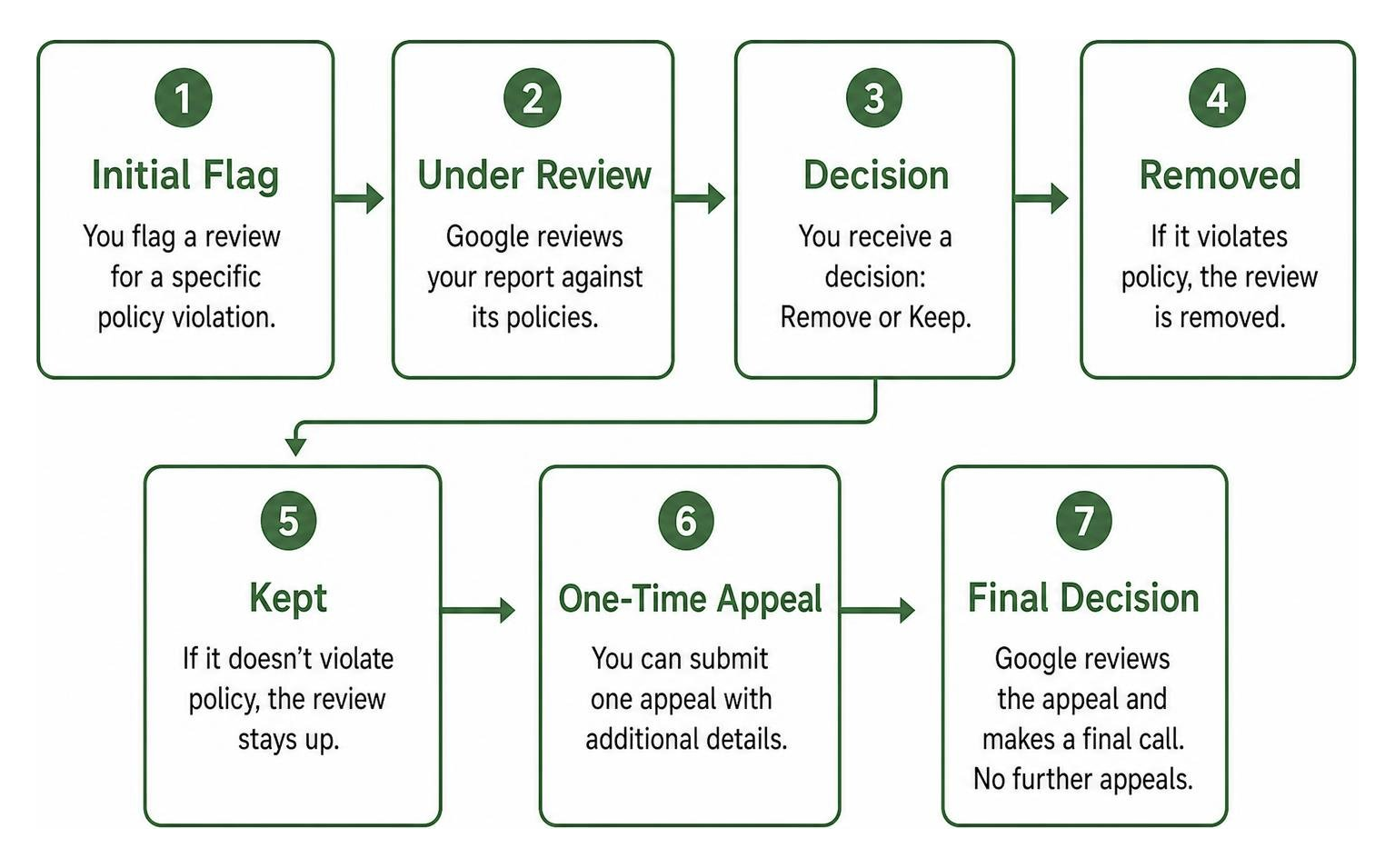
You cannot delete a customer’s review from your Google Business Profile. To request removal, open your Business Profile, select Read reviews, find the review, and choose Report. Pick the policy violation that fits, then submit the report. If Google leaves the review up, you may be able to file a one-time appeal. The reviewer can also edit or delete their own post.
A harsh review is not automatically a policy violation. If it stays, a calm public reply can show future customers how you handle a complaint.
I’m John DeMarchi, founder of Social Czars, and questions about how to delete google business reviews are part of the reputation challenges my team helps clients navigate. Since 2014, we’ve worked with hundreds of clients facing difficult search and reputation issues.
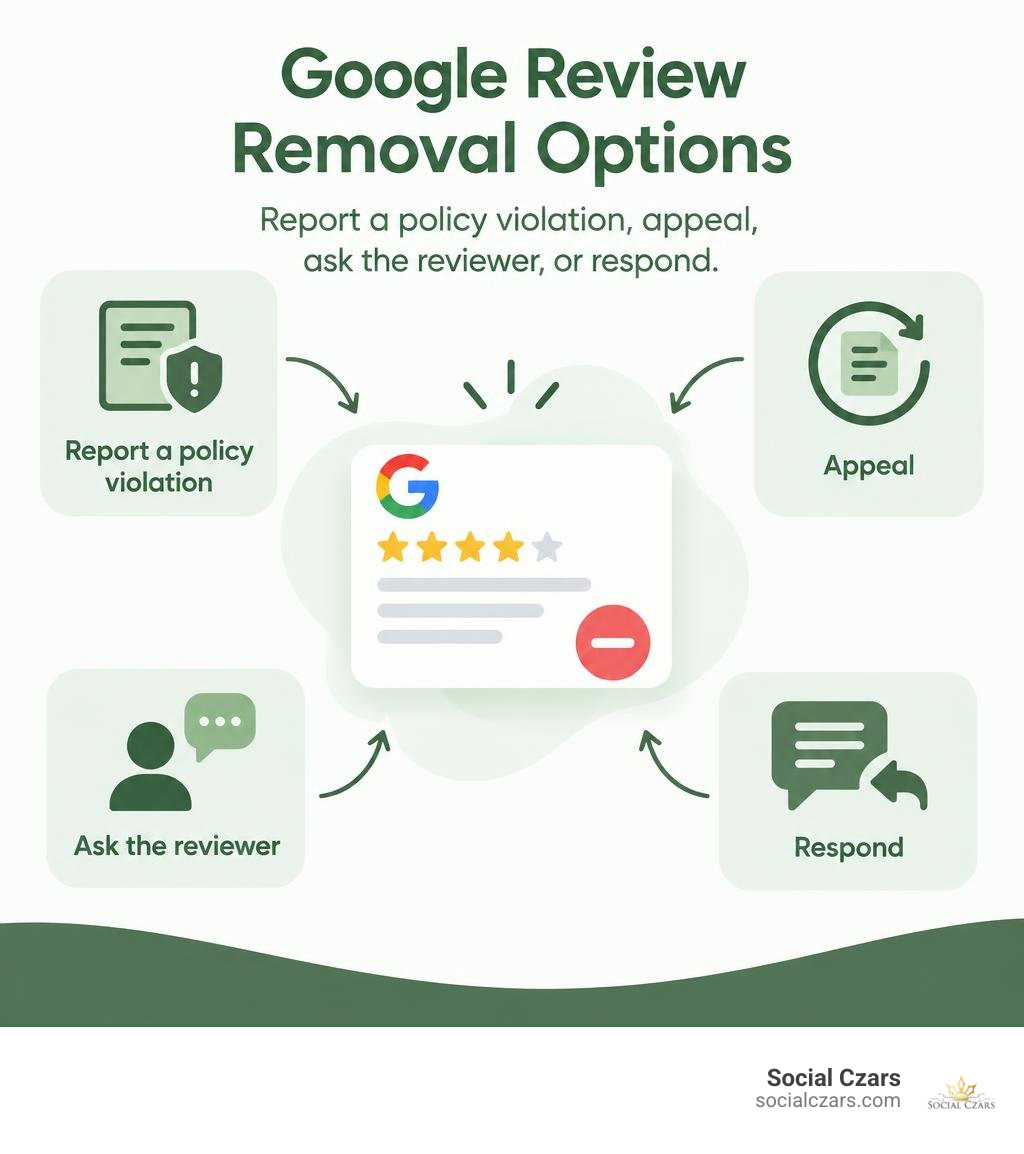
How to delete google business reviews basics:
The Phantom Menace: Can You Delete a Google Review Directly?
When a devastating one-star rating appears out of nowhere, your immediate instinct is to look for a trash can icon. Unfortunately, in Google’s ecosystem, business owners do not possess administrative delete keys over user feedback. Google purposefully built its platform so merchants cannot simply wipe away criticism with a single click.
Instead, the only two parties who hold the technical power to take down a published review are the original author and Google’s trust and safety team. If you want a review gone, you must either convince the reviewer to retract it or prove that the content breaches platform rules. Google outlines this process in its documentation to Report inappropriate reviews on your Business Profile. Learning why Google won’t delete that one star review from your ex helps set realistic expectations about what can and cannot be removed.
Why Google Restricts Direct Review Deletion
Google prioritizes consumer trust above merchant convenience. If businesses had direct deletion capabilities, star ratings would become meaningless marketing billboards rather than authentic indicators of service quality.
Research indicates that 63.6% of consumers check reviews on Google before visiting a business location, making it the most influential platform on the web. Furthermore, 21% of consumers rank Google reviews as the single most critical factor in their local search decisions. Audiences value authenticity: 30% of consumers assume online reviews are fake if there are no negative entries at all, and 52% trust a business more when they spot a few critical notes mixed with positive feedback.
To maintain this balance, Google evaluates whether feedback represents genuine consumer expression or a clear violation:
| Review Scenario | Legitimate Negative Complaint (Stays Up) | Policy-Violating Review (Eligible for Removal) |
|---|---|---|
| Service Quality | Customer complains about cold food or slow delivery. | Competitor posts fabricated service failures to damage ratings. |
| Employee Interactions | Client expresses frustration with a rude staff member. | Post contains personal doxxing, phone numbers, or hate speech. |
| Pricing & Value | Customer feels an invoice was higher than expected. | Reviewer demands money or compensation to remove a 1-star rating. |
| Relevance | Review focuses on an actual purchase or visit. | Rant addresses political beliefs, zoning laws, or unrelated topics. |
Understanding Which Negative Reviews Violate Google Guidelines
Before starting a dispute, review Google’s Prohibited and Restricted Content policies. Your removal request must point to a specific, clear guideline breach:
- Spam and Fake Engagement: Content that does not reflect a genuine customer experience, reviews posted from multiple duplicate accounts, or coordinated review-bombing campaigns.
- Conflicts of Interest: Reviews left by business owners on their own profiles, posts by current or former employees airing workplace grievances, or negative reviews posted by direct competitors.
- Harassment and Hate Speech: Content that attacks specific individuals with vulgarity, discriminatory slurs, threats, or private personal data.
- Off-Topic Content: Commentary focusing entirely on political, social, or economic debates rather than your goods or services.
- Incentivized Feedback: Reviews created as part of an exchange for discounts, free products, or financial kickbacks.
Knowing how to get a fake google review removed before it kills your reputation requires identifying these specific violations before submitting your report.
Strike Back: How to Delete Google Business Reviews by Flagging and Escalation
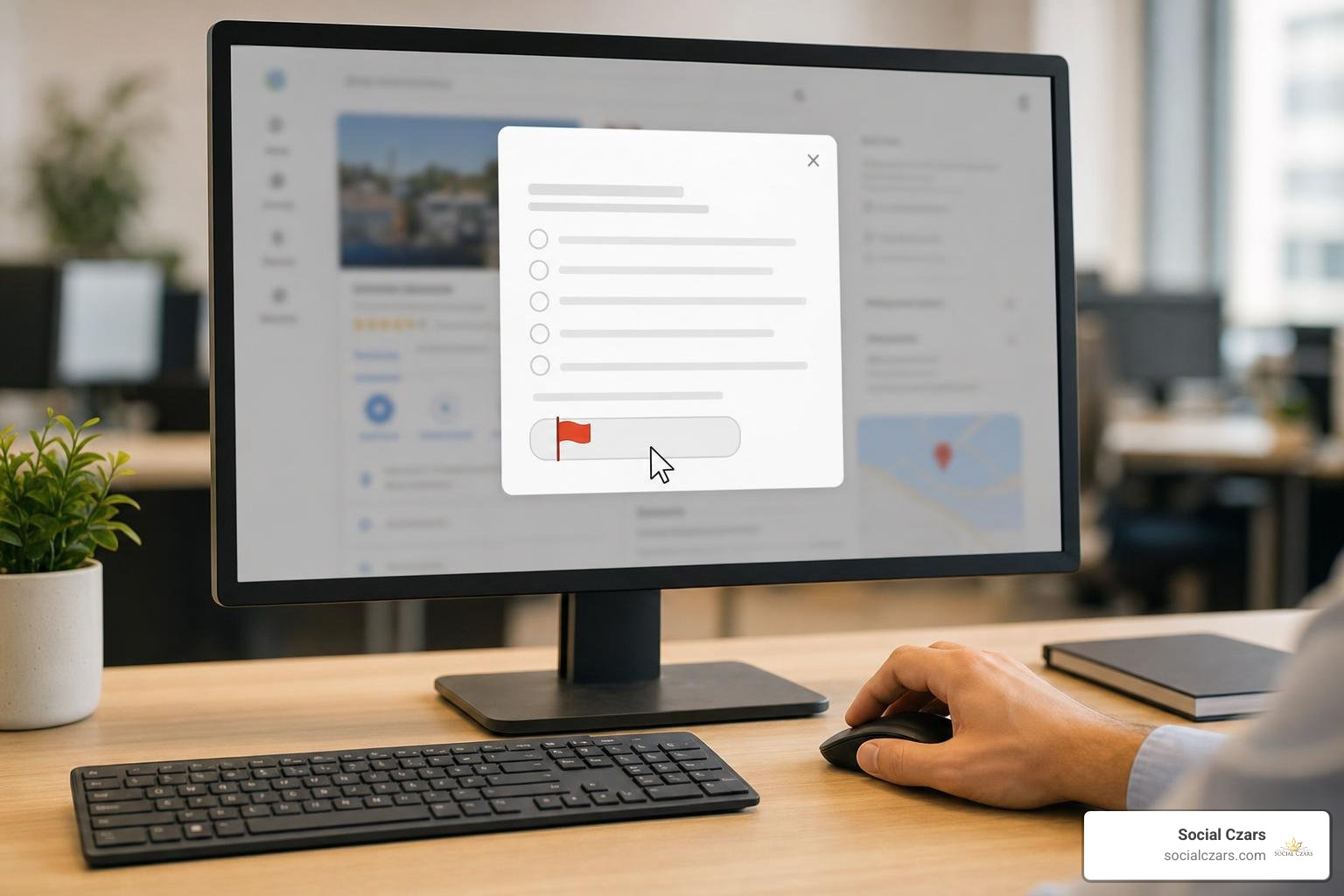
When bad feedback crosses the line from an unflattering opinion into an explicit policy breach, you can initiate a formal removal request. This process relies on submitting a clear report with supporting evidence rather than making general complaints, as discussed in the Removing review – Google Business Profile Community forum.
Step-by-Step: How to Delete Google Business Reviews via Your Profile Dashboard
You can flag an inappropriate review using Google Search, Google Maps, or your Business Profile dashboard:
- Access Your Profile: Sign in to the Google account associated with your Business Profile on Google Search or Maps.
- Locate the Feedback: Search for your business name or click Read reviews within your profile management console.
- Trigger the Report: Scroll to the offending entry, click the three vertical dots (More options) in the top-right corner of the review card, and select Report review or Flag as inappropriate.
- Select the Policy Category: Choose the exact violation that matches the post (such as Spam, Conflict of Interest, Profanity, or Harassment).
- Submit the Report: Confirm your submission.
Following these precise steps ensures your claim enters Google’s review queue with the correct categorization, mirroring the tactics outlined in our guide on disputing bad Google reviews.
The Resistance Appeal: How to Delete Google Business Reviews Using the Reviews Management Tool
If your initial flag is rejected or ignored by automated moderation systems, you can escalate through Google’s dedicated Reviews Management Tool.
- Access the Tool: Navigate to the Google Business Profile Reviews Management portal while logged into your merchant account.
- Confirm Business Details: Select your verified business listing.
- Check Report Status: Choose the option to check the status of a previously reported review.
- Submit a One-Time Appeal: If the tool marks the review as “Decision made – review kept,” select the review (you can batch up to 10 reviews in a single submission) and click Appeal.
- Provide Evidence: Enter a factual explanation detailing how the post breaches specific policies. Include dates, transaction numbers, employee witness logs, and links to relevant documentation.
Keeping close track of your submission helps manage expectations around how long does google take to remove a reported review, which generally takes anywhere from several days to a few weeks.
Diplomatic Solutions: Asking Reviewers to Update or Erase Feedback

When an unhappy customer posts a legitimate one-star rating, policy flags will not help you. Your most effective option is direct, professional customer service. If you resolve their underlying complaint, many reviewers will gladly update their rating or erase the negative comment entirely.
External tutorials like 85ideas.com’s guide on how to edit a Google review demonstrate that updating existing feedback is straightforward once a dispute is resolved.
How Customers Can Edit or Remove Their Written Reviews
Customers can update or delete their feedback on both desktop and mobile devices:
- Open Google Maps on desktop or launch the mobile app.
- Click the profile picture or account menu in the upper corner and select Your contributions.
- Navigate to the Reviews tab to see all posted feedback.
- Locate the specific business listing and click the three-dot action menu.
- Select Edit review to change the star rating and written comments, or select Delete review to remove the entry permanently.
Understanding this process allows you to provide clear instructions when helping clients edit Google reviews after resolving an issue.
Resolving Conflicts Privately to Turn 1-Star Ratings Around
To encourage an unhappy customer to reconsider their review, follow a clear de-escalation framework:
- Respond Publicly First: Post a polite, brief public response within 24 hours. Acknowledge their frustration without arguing, and invite them to continue the conversation privately via email or phone.
- Listen Without Being Defensive: When they reach out, listen to their entire experience without making excuses.
- Deliver an Immediate Fix: Replace the defective product, issue a refund, or provide a complimentary service to correct the mistake.
- Make a Gentle Request: Once the customer confirms they are happy with the resolution, ask: “If you feel we made things right, would you consider updating your Google review to reflect your recent experience?”
These targeted steps form the foundation of sustainable reputation repair strategies that turn negative feedback into positive customer relationships.
Navigating Legal Avenues, Defamation, and Regulatory Compliance
When an anonymous user or bad actor launches a targeted smear campaign, business owners often consider legal action. However, online disputes involve distinct legal boundaries that require careful evaluation.
For a broader overview of legal frameworks and statutory standards, see Sprintlaw Australia’s breakdown on deleting Google reviews.
Defamation Laws and Serious Harm Thresholds
Defamation laws exist to protect individuals and businesses from false, damaging public statements. However, filing a lawsuit over an online review comes with strict legal requirements:
- False Statements of Fact vs. Opinion: Expressing an opinion (such as “I found the meal bland”) is protected speech. Stating false facts (such as “The owner steals tips from employees”) can cross into defamation.
- The Serious Harm Threshold: Most jurisdictions require proof that the publication caused, or is likely to cause, serious financial harm or reputational loss before a claim can proceed.
- Subpoenas for Anonymous Authors: If the poster hides behind a pseudonym, your legal team must file discovery actions against Google to uncover IP addresses and account metadata.
Working through these options often starts with investigating who posted a fake review about you before spending money on formal legal notices.
Avoiding Illegal Review Manipulation and Regulatory Penalties
While managing your online presence, it is equally important to stay within consumer protection regulations. Government agencies, including the FTC in the United States and the CMA in the United Kingdom, strictly penalize deceptive review practices:
- Review Gating: Using software to filter customers—sending happy clients to Google while routing unhappy clients to private internal forms—violates platform terms and regulatory guidelines.
- Incentivizing Removal: Offering cash, discounts, or prizes in exchange for a customer deleting an honest negative review breaches consumer protection laws.
- Fake Positive Injections: Purchasing fabricated 5-star ratings to bury authentic complaints can result in severe fines and public consumer warnings pinned directly to your listing.
Understanding the legality of paying someone to remove bad reviews online helps you protect your brand while staying fully compliant with regulatory standards.
Frequently Asked Questions About Google Review Removal
Can I turn off or disable Google reviews on my Business Profile?
No. Google does not allow business owners to toggle off or disable public reviews. Reviews are considered public-interest consumer data tied to a geographic place.
Some owners attempt to delete their profile entirely to wipe the slate clean. However, as outlined in Google’s guide to Remove a Business Profile from your Google Account, deleting a listing from your dashboard simply releases administrative ownership. The physical place and its associated reviews often remain on Google Maps as an unverified listing, leaving you unable to manage or respond to incoming feedback.
How long does Google take to remove a flagged review?
The standard moderation window runs between 3 to 7 business days for an initial flag. If your dispute requires a one-time appeal via the Reviews Management Tool, manual human evaluations can extend the timeline to 2 to 4 weeks. During high-volume periods or complex trademark disputes, decisions may take longer.
What should I do if a harmful review cannot be removed?
When a negative review stays online after all appeals are exhausted, shift your strategy toward damage control and review dilution:
- Craft an Exemplary Public Reply: Write a calm, professional response for prospective buyers reading your profile. Acknowledge the feedback, state your commitment to quality, and provide an offline contact method.
- Launch a Review Generation Strategy: Ask satisfied clients for honest feedback via follow-up emails, text messages, or invoices. Because 9 out of 10 modern customers check online feedback before making a purchase, adding fresh, authentic 5-star ratings will dilute older negative feedback and lift your overall score.
Conclusion
Managing your online presence requires persistence, an understanding of Google’s policies, and a proactive approach to customer service. While you cannot simply press a button to delete negative feedback, you can flag policy breaches, appeal mistaken decisions, and turn customer complaints into opportunities for positive engagement.
For high-profile executives, business leaders, and organizations dealing with damaging digital attacks, our team at Social Czars delivers specialized search optimization and rapid negative content removal. Explore our professional Google review removal services to protect your search presence and build lasting digital authority.
