
Reputation Management
How to Remove Negative Google Reviews: 3 Methods that Guarantee Results

Oct
How to Erase Google Reviews Without Making a Bad Situation Worse
If you wrote the review, sign in to the Google account that posted it, open Google Maps, find it under Your contributions, and choose Delete review. If the review is about your business, you cannot delete it yourself. Report it to Google if it breaks a review policy, then appeal if Google decides to keep it. A negative review alone is not grounds for removal.
For a review that follows Google’s rules, your best options are to address the customer’s concern and respond publicly. No third party can guarantee that Google will erase it.
I’m John DeMarchi, founder of Social Czars, where we’ve helped hundreds of clients manage reputation crises since 2014. When leaders ask how to erase google reviews, I start with the policy question: Does the review qualify for removal?
Google accounted for 79.4% of all online reviews per location in 2025, cementing its role as the dominant discovery engine for local commerce. Furthermore, 83% of consumers regularly read Google reviews before engaging with a brand. With customer review response rates climbing to a record 75.5%, managing your online reputation is no longer optional—it is a baseline operational requirement.
Understanding Removal Policies: When Will Google Intervene?
Google maintains strict platform neutrality. The search engine does not arbitrate factual disputes between merchants and customers, nor does it remove critical feedback simply because a rating is unflattering. Google intervenes only when a review violates its explicit Prohibited and Restricted Content policies.
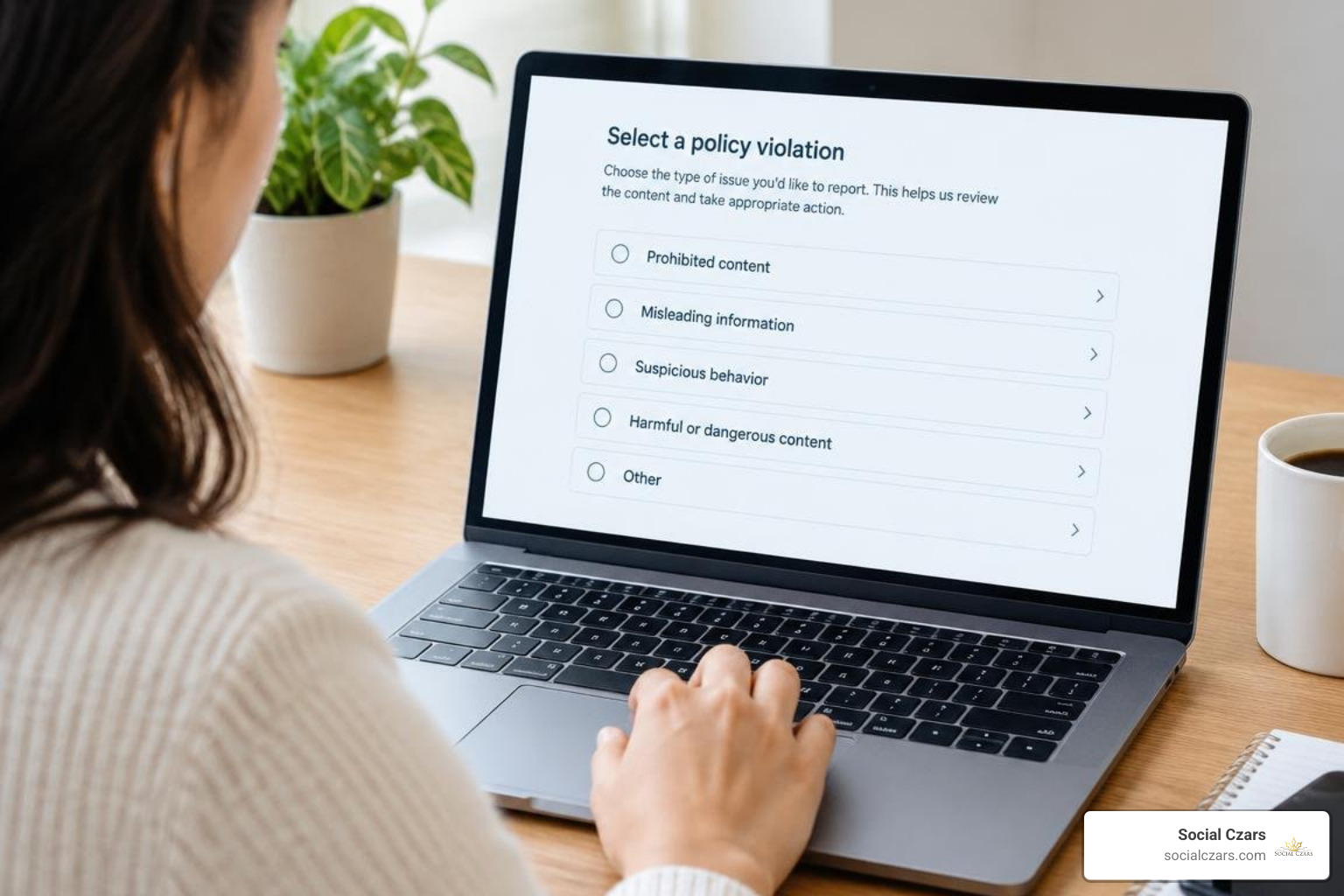
To initiate an official dispute, business owners should consult the official guidance on reporting inappropriate reviews. Moderation algorithms and human review teams assess flagged submissions against established guidelines to determine whether the content undermines user trust or breaches terms of service.
| Legitimate Customer Criticism (Kept Online) | Policy-Violating Feedback (Eligible for Removal) |
|---|---|
| Complaints about slow service or high prices | Profanity, hate speech, or targeted personal harassment |
| Dissatisfaction with product quality or results | Fabricated posts from competitors (conflict of interest) |
| Disagreements over business billing terms | Reviews left by former employees seeking retaliation |
| Subjective negative opinions of staff demeanor | Off-topic rants, political discourse, or spam links |
| Unhappy experiences with verified transactions | Coordinated review attacks or extortion attempts |
Prohibited Content and Policy Violations
Google removes submissions that cross into specific forbidden categories. Knowing these classifications is essential when constructing your removal request:
- Spam and Fake Engagement: Automated content, repetitive posts, and promotional links designed to manipulate ratings. Knowing the nuances of identifying fake Google reviews before reputation damage escalates helps you present a clearer case to support teams.
- Conflict of Interest: Feedback posted by direct competitors, business owners rating their own listings, or disgruntled current and former employees.
- Harassment and Hate Speech: Content containing slurs, direct personal threats, non-public personal information (doxxing), or defamatory attacks targeting individual staff members by name.
- Off-Topic Content: Commentary detailing social, ethical, or political grievances unrelated to the commercial experience at the location.
- Obscenity and Profanity: Graphic language, sexually explicit descriptions, or violent remarks.
Handling Misattributed and Wrong-Location Feedback
Multi-unit enterprises frequently suffer from misattributed reviews. A customer visiting a venue in one city might accidentally leave a scathing 1-star evaluation on an unrelated profile in another market.
Similarly, third-party platforms that syndicate Google profile data can compound these errors. For instance, business owners managing cross-platform listings and Zola profile review sync often need to unlink profiles to prevent unverified imported ratings from displaying across third-party platforms.
When addressing misattributions directly on Google:
- Verify internal transaction databases (check the order number, customer name, date, and timestamp).
- Document geographic and physical inconsistencies (such as the customer mentioning a drive-thru or menu item your location does not offer).
- Flag the submission under the “Off-topic” or “Not relevant to this business” violation tags within your Google Business Profile (GBP) portal.
3 Proven Methods to Erase Google Reviews Permanently
Eliminating harmful, inaccurate, or policy-violating ratings requires a disciplined, structured approach. Here are the three legitimate methodologies available to organizations seeking to safeguard their digital standing.

Understanding these proven methods to remove negative Google reviews allows leadership teams to select the appropriate remedy for each distinct scenario.
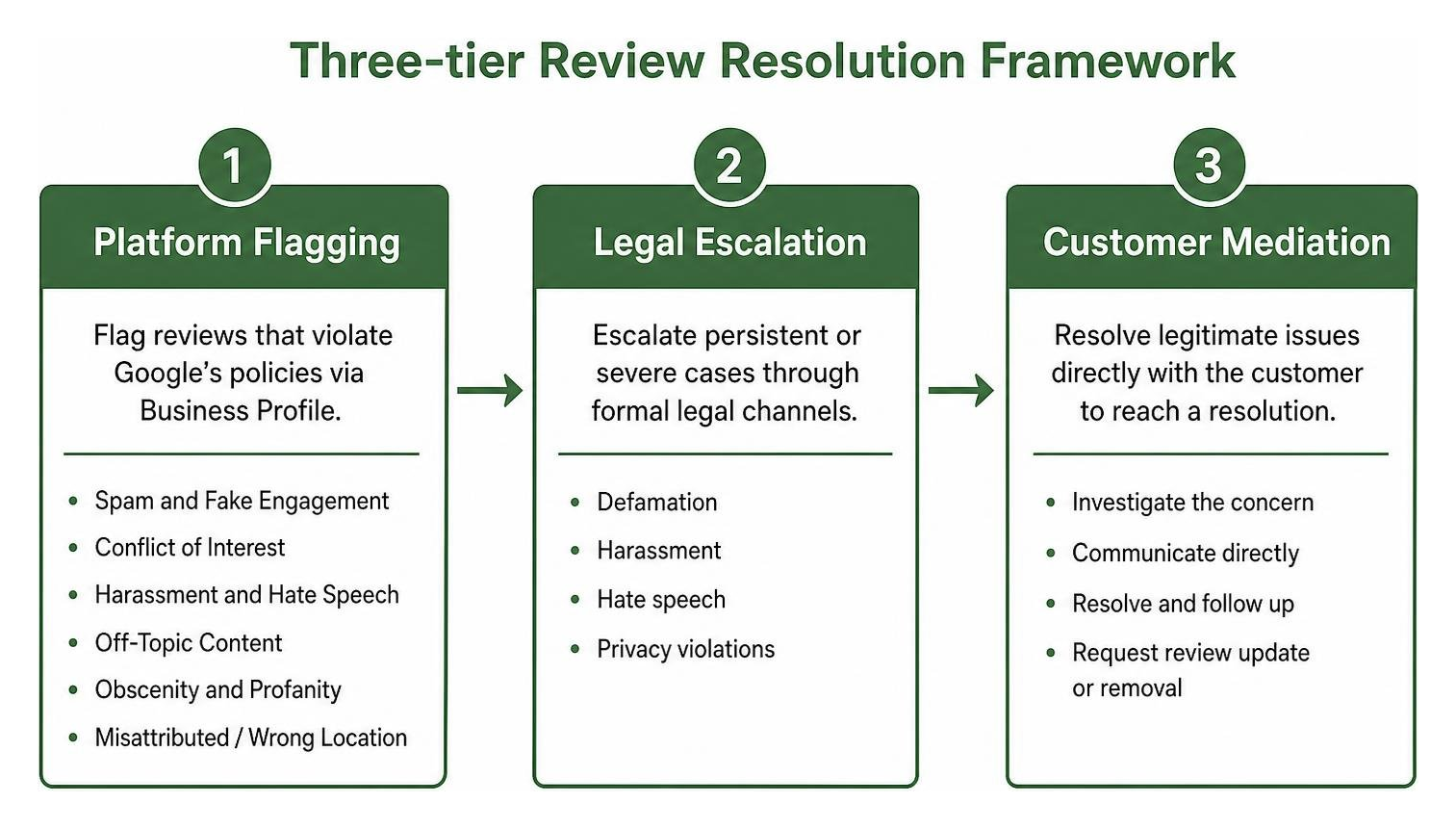
Method 1: Flagging and Appealing Violations via Business Profile
The primary administrative avenue for removing negative submissions is the native Google Business Profile dispute architecture.
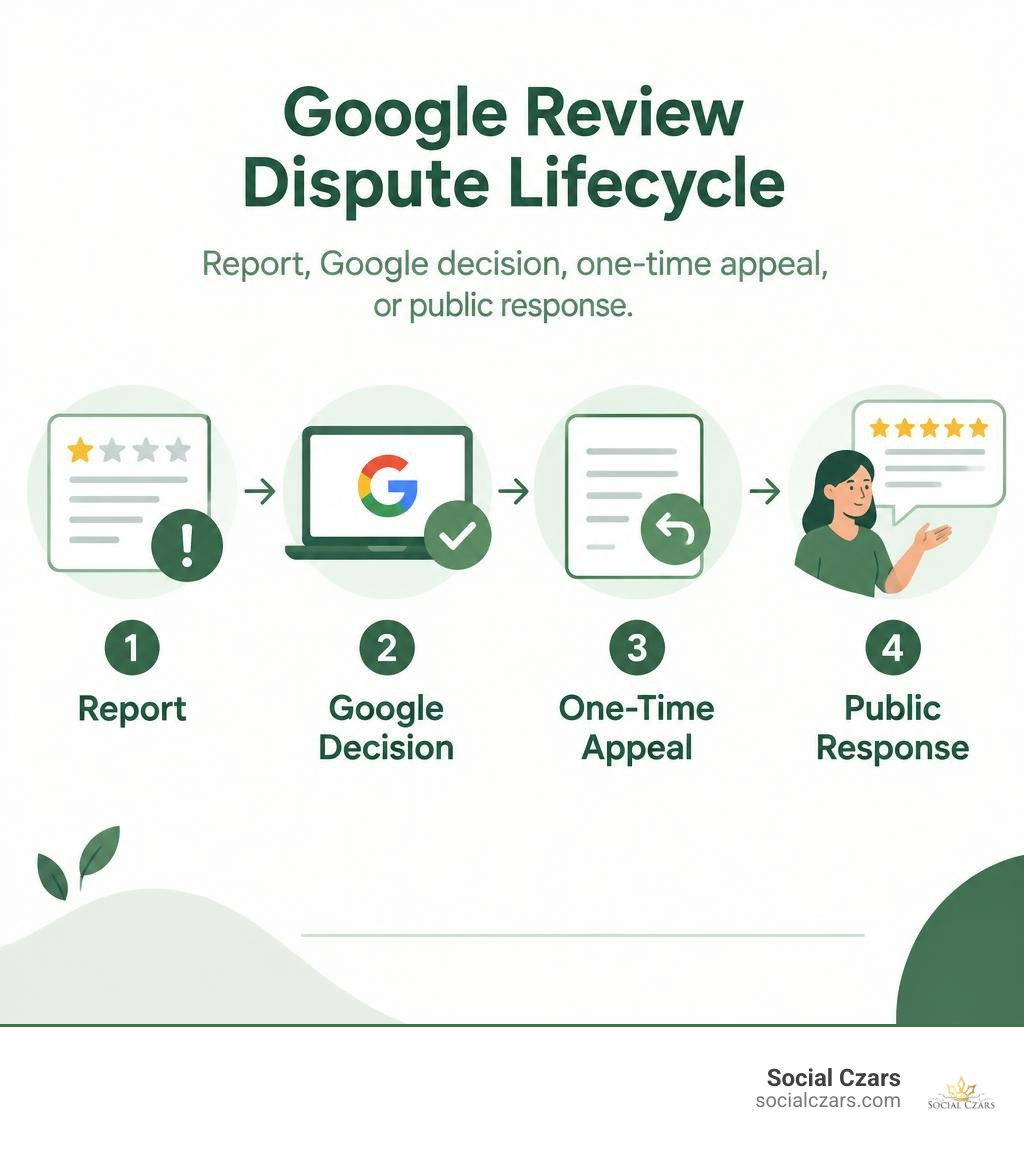
Step 1: Flag the Review
Access your profile via Google Maps, Search, or the GBP Dashboard. Locate the offending post, click the three vertical dots in the upper-right corner of the review card, and select Report review. Choose the specific policy violation that best matches the post’s text.
Step 2: Track Moderation in the Reviews Management Tool
Google typically processes initial review flags within 3 business days, though comprehensive decisions can take up to 14 days. Access the dedicated Google Reviews Management Tool while logged into your primary profile account to monitor the live status of all flagged submissions.
Step 3: File a Strategic One-Time Appeal
If Google’s initial automated filter decides not to take action on the review, you are allowed a single appeal per incident. Following the complete flagging and appeal workflow ensures you do not waste this critical step.
To succeed, you must submit an objective, evidence-backed dossier. Businesses mastering Google review appeals with solid evidence avoid emotional complaints and instead present verifiable facts:
- Cite the exact policy phrase that was breached.
- Provide CRM or Point of Sale (POS) transaction records proving no interaction occurred.
- Supply screenshots documenting extortion demands or public competitor profiles matching the reviewer’s identity.
- Batch appeal related incidents if you are experiencing a coordinated attack (up to 10 reviews can be appealed simultaneously in the tool).
Method 2: Filing Formal Legal Removal Requests
When an unlawful review fails standard policy appeals, formal legal intervention provides an alternative avenue. This approach is reserved for content that breaches legal standards, including actionable defamation, libel, copyright infringement, or unlawful distribution of private personal data.
Google provides dedicated legal web forms where impacted entities can submit formal removal demands. When submitting legal complaints and data privacy requests to Google, you must provide:
- The exact, individual URL of each defamatory review.
- The specific legal grounds under applicable jurisdiction (such as common law defamation, commercial disparagement, or GDPR/DSGVO Article 17 “Right to Erasure” provisions).
- Evidence demonstrating that the statements are provably false assertions of objective fact rather than protected subjective opinion.
- Court orders or official injunctions, if legal proceedings have already adjudicated the matter.
Method 3: Direct Customer Resolution and Reviewer Deletion
The fastest and most sustainable way to remove an authentic negative review is direct service recovery. Customers often post critical 1-star ratings during peak emotional frustration; once their underlying grievance is resolved, many are willing to update or delete their remarks.
Mastering the art of deleting bad reviews through customer resolution requires a calculated operational protocol:
- Respond Publicly Within 24 Hours: Post a calm, professional, and empathetic response acknowledging the client’s frustration. Provide a direct direct line to senior management (such as
executive-resolution@yourcompany.com). - Move the Conversation Offline: Conduct the discovery interview via telephone or private email to de-escalate tension.
- Deliver an Unambiguous Remedy: Offer immediate restitution, a replacement, a refund, or an operational correction.
- Request an Update or Removal: Once the customer confirms their satisfaction, politely ask: “Would you be open to updating or deleting your original Google review to reflect how our leadership handled and resolved your issue?”
Step-by-Step Guide for Reviewers and Customers
If you are a consumer or client who wrote a review in error, or if your concerns were resolved and you wish to retract your comments, Google allows you to modify or delete your submission at any time.
Understanding the truth about deleting bad Google reviews starts with knowing who actually controls the content: the original author.
How Reviewers Can Erase Google Reviews on Desktop and Mobile
Authors can easily remove their previous submissions across desktop or mobile platforms. When making unwanted ratings disappear, follow these exact steps:
On Desktop (Web Browser)
- Navigate to Google Maps (
maps.google.com) and ensure you are logged into the account used to post the rating. - Click the Menu (three horizontal lines) in the top-left corner.
- Select Your contributions, then click the Reviews tab.
- Locate the specific business listing you wish to modify.
- Click the three dots (options icon) next to the review and select Delete review.
On Mobile (iOS & Android)
- Open the Google Maps app on your smartphone or tablet.
- Tap your Profile Picture or initials located in the upper-right corner.
- Select Your profile (or tap Contribute at the bottom navigation bar).
- Tap See all reviews under your contribution statistics.
- Locate the review in question, tap the three dots, and choose Delete review.
Troubleshooting Common Review Deletion Glitches
Occasionally, a reviewer attempts to delete their submission but finds it remains visible on public search listings. Common causes and resolutions include:
- Multiple Google Accounts: The user is logged into a secondary email address (e.g., a work profile rather than a personal profile). Verify the active username and switch accounts in Google Maps.
- Browser Caching and Sync Delays: Local web caches often store previous page states. Clear browser cache data or view the business listing in an Incognito/Private browsing window to confirm deletion.
- Mobile App Latency: Mobile deletions can take several hours to synchronize across global data centers. Restarting the application or forcing a data refresh resolves this latency.
Proactive Reputation and Dispute Management Strategies
Safeguarding corporate brand equity requires ongoing monitoring, policy enforcement, and proactive review generation rather than reactive damage control.
Consistently reporting and removing fake feedback for good depends on having clear internal processes in place before an issue arises.
Why You Should Never Pay Scam Services to Erase Google Reviews
Hundreds of unregulated online vendors claim to offer “100% guaranteed Google review removal.” Business owners must approach these promises with extreme skepticism.
- No Entity Controls Google: Only Google’s internal Trust and Safety teams and the original author possess the technical capability to delete a live review.
- Dangerous Black-Hat Tactics: Scam services frequently employ malicious botnets to mass-flag listings. These actions violate Google terms and can trigger severe administrative penalties, including total suspension of your Business Profile.
- FTC Regulatory Penalties: The Federal Trade Commission strictly regulates online endorsements and reviews. Engaging in review manipulation, purchasing fake positive reviews to offset negative ones, or using coercive practices to suppress negative feedback exposes your enterprise to substantial civil fines.
- Extortion Risks: Unscrupulous operators have been documented creating fake negative reviews on client profiles only to charge substantial fees to “remove” them.
Multi-Location Review Strategy and Public Response Protocol
For enterprise brands operating multi-location networks across major hubs like New York City, Miami, Los Angeles, and London, a systematic review management strategy protects enterprise valuation.
Frequently Asked Questions About Google Review Removal
Can a business owner directly delete a 1-star Google review?
No. Google does not grant business owners administrative access to delete public reviews from their Business Profiles. This structure maintains consumer trust in local search results. Business owners may only flag a review for policy violations, appeal a rejected removal request, pursue legal escalation, or resolve the matter directly with the customer so they choose to remove it voluntarily.
How long does Google take to process review removal appeals?
Google’s automated review system typically reviews initial flags within 3 business days. If a review is not removed and you submit a formal appeal with supporting evidence via the Reviews Management Tool, decisions are usually delivered within 14 days.
What evidence is required to prove a review is fake or defamatory?
Effective evidence includes point-of-sale (POS) records demonstrating that the named reviewer never conducted business with your firm, customer service communication logs, internal staff schedules, and GPS or security records verifying that the alleged incident could not have occurred. If the review involves extortion or competitor interference, include unedited screenshots of messages, emails, or public competitor profiles showing the connection.
Conclusion
A single illegitimate, defamatory, or misattributed review should not undermine years of brand equity and client trust. While you cannot simply click a button to delete critical feedback, you can systematically remove policy-violating content using Google’s official flagging workflows, well-documented appeals, legal remedies, and direct customer engagement.
For high-profile executives, private family offices, and elite multi-location enterprises seeking tailored dispute management and rapid crisis intervention, our team delivers strategic reputation defense. Discover how our comprehensive Google review removal solutions protect your brand’s digital presence across search ecosystems.
